

Everdo
For Android
Screenshot
Apps Introduction
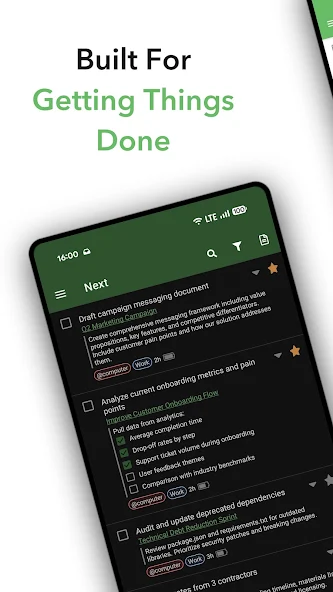
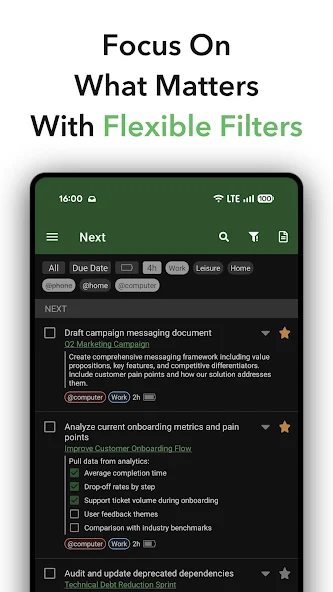
Everdo is a productivity-focused Android application tailored for enthusiasts of the Getting Things Done (GTD) methodology. Designed to work seamlessly offline, this app enables users to manage tasks with end-to-end encryption and hassle-free sync across multiple platforms. With Everdo, users can expect a robust system that emphasizes personal data control and long-term usability without the need for recurring subscriptions. By facilitating task management under various contexts and scenarios, Everdo offers an all-in-one solution for organizing personal and professional responsibilities efficiently.
Complete GTD Workflow Implementation
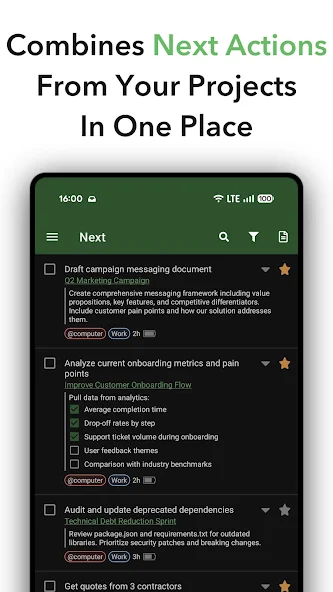
Everdo provides a comprehensive implementation of the GTD methodology, allowing users to capture, organize, and execute tasks effectively. The application boasts several features that align with the GTD framework:
- An Inbox for capturing ideas the moment they occur.
- Context-based organization using tags and contexts.
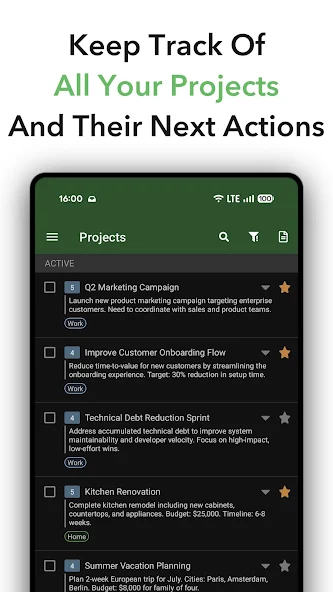
- Projects for structuring multistep commitments and goals.
- A Focus list to concentrate on the most urgent tasks.
- Notebooks for storing relevant reference material.
- Recurring tasks with customizable patterns.
This extensive functionality makes Everdo an ideal tool for practitioners aiming to maintain a clear and productive workflow.
Reliable Offline Operation
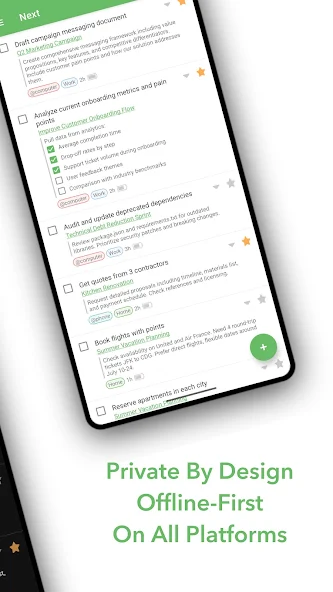
One of Everdo's standout features is its ability to operate entirely offline. This means users can manage their tasks without needing an internet connection, making it reliable in environments like subways or airplanes where network connectivity might be disrupted. Additionally, data is solely device-based, ensuring no third-party access or data mining occurs.
Syncing Across Multiple Platforms
While Everdo can run without internet, it also supports synchronization across various devices. It provides two syncing options: local network sync for home or office use and an optional cloud sync with end-to-end encryption for accessing tasks remotely. This flexibility allows users to choose the most suitable method for their needs, ensuring secured and coordinated access to their tasks anytime, anywhere.
Cost-Effective Use Without Subscriptions
Unlike many productivity apps, Everdo requires just a one-time purchase for its Pro version, eliminating ongoing subscription costs. This approach allows users to own the software indefinitely, maintaining control over their productivity tools regardless of changes in the app's financial model.
Conclusion: Why Choose Everdo for Your Productivity Needs
Everdo stands out as an empowering tool for those committed to the GTD methodology, offering a comprehensive and flexible task management system without the need for constant internet access or recurring fees. Its compatibility across Android, iOS, Windows, Mac, and Linux makes it accessible on any device. Users seeking a robust and secure productivity application with full control over their data will find Everdo to be a valuable asset in organizing both personal and professional pursuits. For more information or to explore download options, visiting their official site or trusted APK platforms is recommended.
Apps Information
-
Size
17.46M
-
Language
English
-
Developer
Everdo
-
Version
v1.10.0
-
Updated
11 20, 2026
-
Package
net.everdo.everdo
-
Category
System Tools
Related Topics
More- Best Tools Apps

11 18, 2026Update
Get the best Android utility apps in 2026. Download free tools for file management, phone cleaning, security, system optimization, and everyday productivity.






Related News
More


You Might Also Like
Change




Similar Apps
More-
View
 Ad Blocker
8.92M
-
View
 NowAI
107.52M
-
View
 AI Chat Ask AI Chat Anything
64.79M
-
View
 iTranslate
212.46M
-
View
 RecCloud
77.31M
-
View
 Frequency Generator
4.36M
-
View
 FocusX
23.37M
-
View
 Captions Ai
67.03M
Featured Topics
More


Popular Apps
More
Question
- Download failed
- Outdated Resources
- Resource Error
- Viral Applications
- Pornography
- Gambling
- Political Unrest
- Fraud
- Infringement
- Other
Description
Tel
Report or Correction