
PDF Converter
For Android
Screenshot
Apps Introduction
For Android users looking to manage and convert PDF files seamlessly, PDF Converter presents itself as a top-tier application. Offering a plethora of editing and converting tools, PDF Converter allows users to effortlessly handle tasks such as converting various formats to PDF, editing content, and optimizing file size. Its main purpose is to provide users with a comprehensive suite of PDF solutions right on their Android devices, making it especially beneficial for both professional and academic needs.
Comprehensive PDF Editing Features
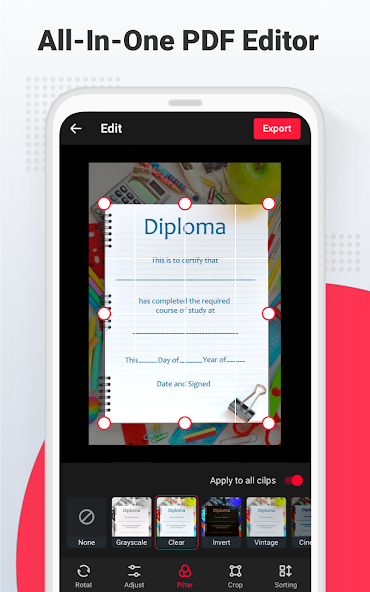
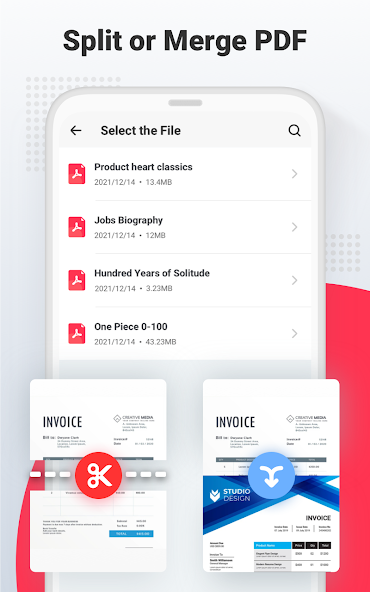
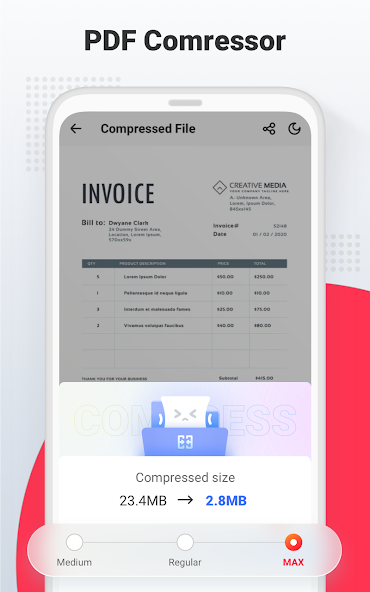
PDF Converter is equipped with an all-in-one PDF editor that empowers users to merge, split, and manage PDFs with ease. You can merge multiple pages or scanned images into a single PDF or split PDFs starting from any page to extract specific content. The compression tool also helps in reducing file sizes for easier sharing and storage.
Format Conversion Capabilities
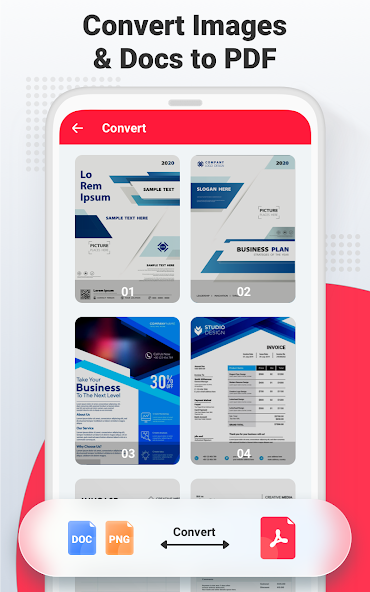
This application supports conversion between PDF and other formats, such as Word, Excel, and PPT, allowing for flexibility in document handling. It also provides the ability to convert images like JPEG and PNG into PDFs, whether singly or through batch processing, merging multiple photos into one file.
Advanced Scanning and Text Extraction
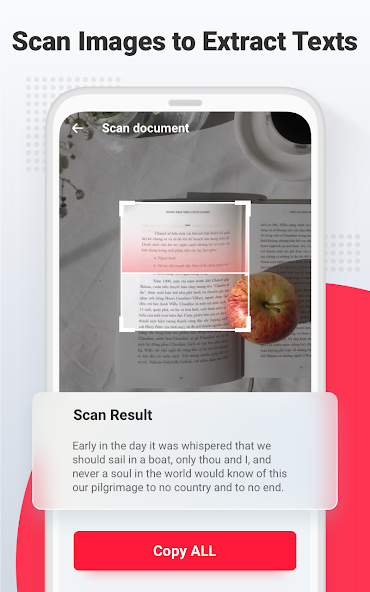
With PDF Converter, users can capture images of documents which are then automatically converted into high-resolution files. The app also comes equipped with intelligent image and text extraction tools, enabling you to digitize and edit your documents efficiently, useful in a variety of work and personal scenarios.
Barcode and QR Code Scanning
Beyond document management, PDF Converter offers a QR and barcode scanner. This feature provides quick decoding of different information types such as text, URLs, and product details, ensuring you have a versatile tool at your fingertips. With privacy in mind, it utilizes your device's camera permissions to accomplish this effortlessly.
Enhanced Storage Options
Offering robust storage solutions, PDF Converter allows saving both original and edited documents locally or in the cloud for VIP users. It also includes a built-in PDF reader and document categorization features, facilitating an all-in-one document management experience. Enhanced functionalities and updates are continuously being developed for even greater service.
Seamless PDF Management on Android
PDF Converter is a powerful companion for those needing efficient PDF management on Android devices. With its extensive toolkit, the app stands out for users in business, education, or anyone regularly interacting with PDF files. For those interested in exploring its full offerings, find the latest APK download information to leverage these tools on the go.
Apps Information
-
Size
42.16M
-
Language
English
-
Developer
Video Editor & Music Video Maker
-
Version
v2.4.4.0
-
Updated
11 20, 2026
-
Package
pdf.mergepdf.compress.pdfeditor.convert.split.scan.pdfreader
-
Category
System Tools
Related Topics
More- Business Apps
- Best Tools Apps

11 18, 2026Update
Download the best free business apps for iPhone in 2026. Find apps for project management, team collaboration, scheduling, accounting, and daily task organization.
-
View
 iTranslate
System Tools / 212.46MB
-
View
 AI Keyboard
System Tools / 126.39MB
-
View
PDF Converter
System Tools / 42.16MB
-
View
 WordCloud
Work & Study / 22.37MB
-
View
 PhotoMap
Photo Enhancement / 24.82MB
-
View
 EZ Recover Deleted Messages
System Tools / 19.64MB

11 18, 2026Update
Get the best Android utility apps in 2026. Download free tools for file management, phone cleaning, security, system optimization, and everyday productivity.






Related News
More


You Might Also Like
Change



Similar Apps
More-
View
 Ad Blocker
8.92M
-
View
 NowAI
107.52M
-
View
 AI Chat Ask AI Chat Anything
64.79M
-
View
iTranslate
212.46M
-
View
 RecCloud
77.31M
-
View
 Frequency Generator
4.36M
-
View
 FocusX
23.37M
-
View
 Captions Ai
67.03M
Featured Topics
More

Popular Apps
More
Question
- Download failed
- Outdated Resources
- Resource Error
- Viral Applications
- Pornography
- Gambling
- Political Unrest
- Fraud
- Infringement
- Other
Description
Tel
Report or Correction