

LazyBoard
For Android
Screenshot
Apps Introduction
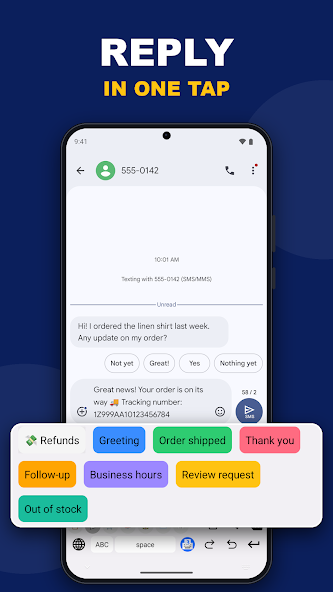
LazyBoard is a versatile keyboard application designed for Android users who require efficient text management and quick response capabilities. Designed primarily as a text expander, LazyBoard allows users to save frequently used messages and insert them into apps like WhatsApp, Instagram, Gmail, and more with just a tap. Its most recognizable feature is the ability to create custom quick-reply keys, making it an ideal tool for customer support representatives, social media managers, and anyone who needs to manage repetitive communication effectively. Users can expect a streamlined messaging experience with structured text templates and dynamic content insertion.
Streamlined Communication with Quick Reply Keys
LazyBoard transforms how you handle repetitive messages through its quick reply keys feature. Users can convert their frequently used texts into colorful, tap-friendly keys, making it easy to insert them into conversations in just a second. This function drastically reduces the time spent typing responses, thereby enhancing productivity for professionals engaged in high-volume communication tasks.
Advanced Text Management Tools
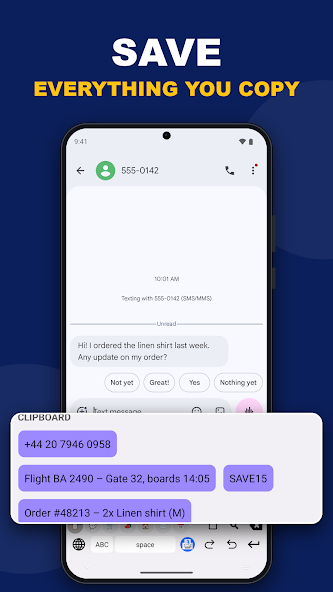
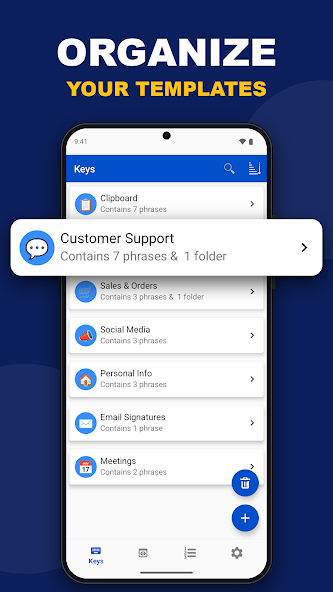
Beyond simple text insertion, LazyBoard offers a clipboard manager that automatically saves all copied content, allowing easy pasting anywhere. Additionally, the app includes a clipboard widget accessible from the Home Screen for even quicker access to saved phrases. This organizational efficiency is further supported by folders and subfolders to categorize templates based on topics like support, sales, and more.
Personalize and Organize Effortlessly
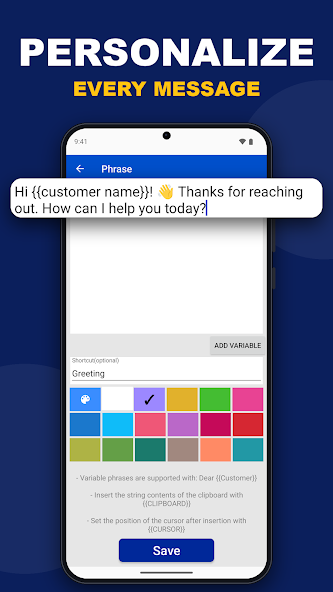
LazyBoard's dynamic variables feature enables users to personalize each message by inserting customer names, cursor positions, and clipboard content dynamically. Users can further enhance their message management with a media folder to store images for easy chat inclusion. Customization extends to the visual appearance, with options for dark mode and custom color assignments to phrases.
Enhanced Features with Premium Upgrade
For users seeking even more capability, LazyBoard offers a Premium plan that unlocks unlimited phrases and photos, as well as export and import features for backing up and sharing templates. The premium plan also allows for custom color options, providing a personalized user interface to suit individual needs and preferences.
Conclusion: Elevate Your Efficiency with LazyBoard
LazyBoard is a powerful tool for anyone who frequently communicates online. With its ability to save and insert common text snippets effortlessly, it not only enhances productivity but also reduces the monotony of repetitive typing. The application stands out with its customizable quick reply keys and robust text management system, making it invaluable for professionals in customer support, sales, and social media management. For those interested in boosting their messaging efficiency, downloading LazyBoard on Android is a decision worth exploring.
Apps Information
-
Size
3.51M
-
Language
English
-
Developer
Elsayed Hussein Abdallah
-
Version
v2.7.25
-
Updated
11 23, 2026
-
Package
com.bokhary.lazyboard
-
Category
System Tools
Related Topics
More- Communication Apps List
- Best Tools Apps

11 18, 2026Update
Download the best free communication apps for Android in 2026. Enjoy instant chat, voice and video calls, file sharing, and smooth conversations with friends, family and colleagues.
-
View
 Translate
System Tools / 9.29MB
-
View
 Speedify VPN
System Tools / 14.02MB
-
View
 LinkedIn
System Tools / 52.39MB
-
View
 BIGVU Teleprompter
Video & Audio / 188.05MB
-
View
 LINE
Social Chat / 151.88MB
-
View
 Character AI
Entertainment Apps / 203.32MB

11 18, 2026Update
Get the best Android utility apps in 2026. Download free tools for file management, phone cleaning, security, system optimization, and everyday productivity.





Related News
More


You Might Also Like
Change




Similar Apps
More-
View
Translate
9.29M
-
View
 Anti Spy
14.63M
-
View
Speedify VPN
14.02M
-
View
 Lock Me Out
3.23M
-
View
 Dtel Telecom
37.25M
-
View
LinkedIn
52.39M
-
View
 Utool
42.16M
-
View
 Picture Bird
86.2M
Featured Topics
More


Popular Apps
More


Question
- Download failed
- Outdated Resources
- Resource Error
- Viral Applications
- Pornography
- Gambling
- Political Unrest
- Fraud
- Infringement
- Other
Description
Tel
Report or Correction