
Any do
For Android
Screenshot
Apps Introduction
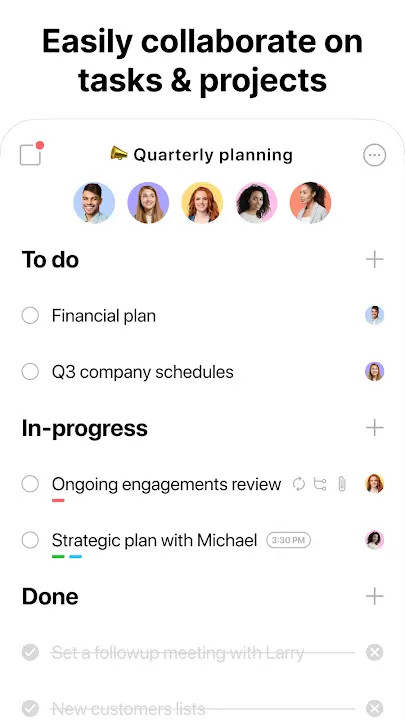
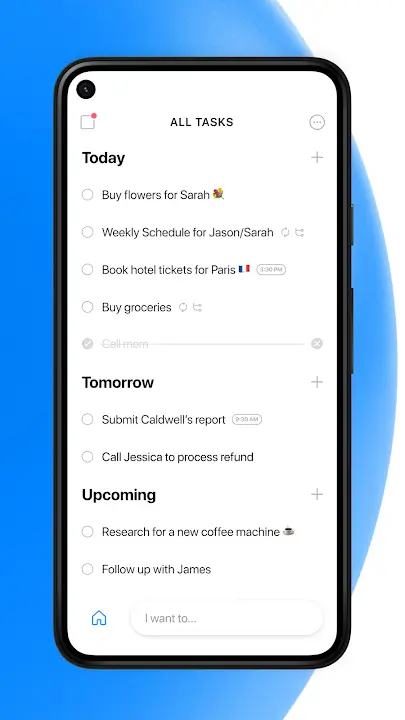
Any.do is a highly versatile Android application designed to streamline personal and professional life by organizing tasks systemically. With its primary purpose centered around task management and scheduling, Any.do stands out with its user-friendly design and comprehensive functionality. Users can expect to effortlessly plan daily activities, manage to-do lists, take notes, set reminders, and organize schedules. Its intuitive interface, combined with advanced features like cross-device synchronization and seamless integration with other Android services, ensures a smooth user experience. Any.do's appeal lies in its ability to adapt to individual needs while maintaining simplicity and efficiency.
Organize Your Life with Advanced Task Management
Any.do offers a robust suite of features to help users manage their daily routines effectively. It allows for the creation of customizable to-do lists, calendars, and schedules, making it incredibly easy to track important events and deadlines. Users can assign tasks and set personalized reminders, including one-time, recurring, and location-based alerts, to fit their busy lifestyles. The application's capability to save task information ensures efficiency and ease of access, fostering faster task recognition and management.
User-Friendly Interface and Design
The application prides itself on its user-centric interface, offering simple touch controls and easy-to-use gesture commands for navigating and operating its functions. Any.do includes a shake feature to enable specific activities, further enhancing its practicality. The inclusion of a dark mode option not only aids eye protection but also provides an improved user experience in low-light conditions.
Synchronize Across Multiple Devices
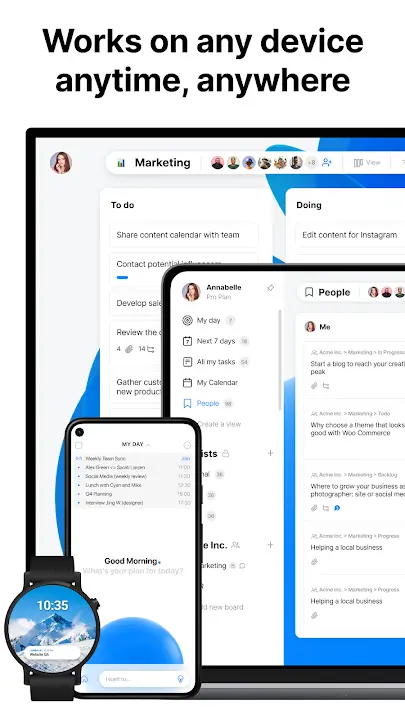
Featuring seamless synchronization, Any.do ensures that all tasks, reminders, notes, and schedules are consistently updated across multiple smart devices. This cross-device synchronization is particularly useful when migrating to new platforms or updating software, affording users a fluid and uninterrupted experience.
Deep Integration with Android Services
Any.do enhances its usability through extensive integration with the array of applications and services available on Android devices. This connectivity allows users to link schedules and lists directly to their calendars, providing a comprehensive overview of pending tasks. By integrating with social apps, chat platforms, online notes, smart assistants, and more, Any.do becomes a pivotal tool in everyday task management.
Comprehensive Planning Tools
Android users can capitalize on Any.do's comprehensive tools which include a calendar, inbox, notebook, checklist, tasks, and a whiteboard, driving improved life management and productivity. The application's design allows users to seamlessly craft detailed daily plans and lists, emphasize must-do tasks, and even share shopping lists with family for collaborative management.
Conclusion: Elevate Your Productivity with Any.do
Any.do serves as an essential tool for Android users aiming to elevate their productivity and efficiently manage their personal and work lives. Its integration capabilities, along with a robust suite of planning and reminder features, cater to diverse organizational needs. Whether you want to manage a busy schedule or coordinate family tasks, Any.do's thoughtful design and comprehensive tools make it an invaluable asset. Explore its Android download options to experience enhanced task management firsthand.
Apps Information
-
Size
81.98M
-
Language
English
-
Developer
Any.do To-do list & Calendar.
-
Version
v5.23.1.0
-
Updated
11 23, 2026
-
Package
com.anydo
-
Category
Photo Enhancement
Related Topics
More- Best Lifestyle Apps
- Shopping Apps All
- Best Tools Apps

11 18, 2026Update
Upgrade your daily routine with the best lifestyle apps for iPhone in 2026. Download free apps for fitness, health tracking, habit building, shopping, and personal planning.
-
View
Any do
Photo Enhancement / 81.98MB
-
View
 Blood Pressure Tracker
Lifestyle Services / 35.28MB
-
View
 UgPhone
System Tools / 130.81MB
-
View
 Omlet Arcade
System Tools / 200.41MB
-
View
 Ai Fitness
Lifestyle Services / 37.49MB
-
View
 BlockerX
Lifestyle Services / 60MB

11 18, 2026Update
Download the best online shopping apps for clothes in 2026. Browse fashion trends, compare prices, find deals on outfits, shoes and accessories, and shop anytime.




11 18, 2026Update
Get the best Android utility apps in 2026. Download free tools for file management, phone cleaning, security, system optimization, and everyday productivity.




Related News
More


You Might Also Like
Change









Question
- Download failed
- Outdated Resources
- Resource Error
- Viral Applications
- Pornography
- Gambling
- Political Unrest
- Fraud
- Infringement
- Other
Description
Tel
Report or Correction