
DU Recorder
For Android
Screenshot
Apps Introduction
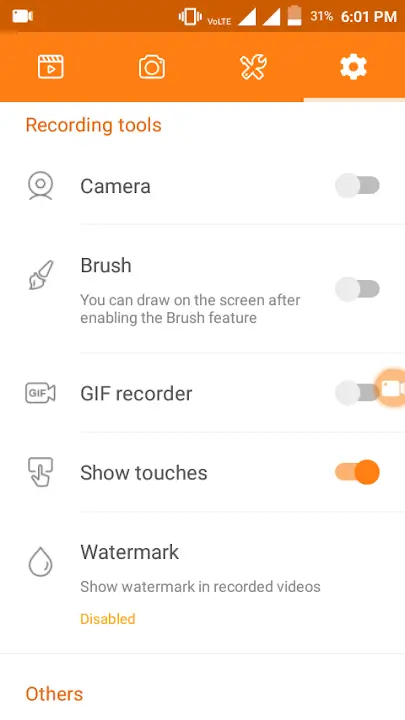
DU Recorder is a versatile Android application designed to elevate your screen recording and video editing experience. Offering a comprehensive suite of tools, this app enables users to capture their device's screen activity effortlessly. Android users find DU Recorder particularly beneficial due to its robust editing capabilities, allowing for the creation of appealing videos complete with themes and filters. Whether you're recording gameplay highlights or capturing scenes from online videos, DU Recorder provides an all-in-one solution for seamless recording and editing, with the added appeal of sharing your creations directly to social media platforms without watermarks.
Main Features and Functions
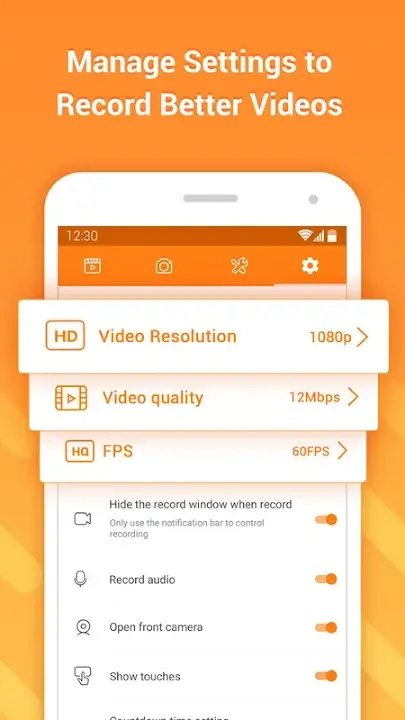
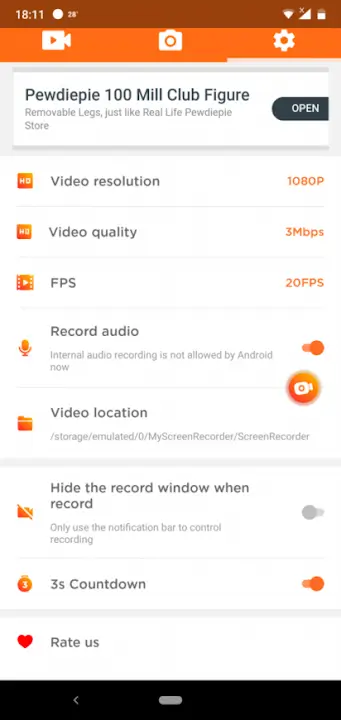
At the core of DU Recorder lies its powerful screen recording functionality. Users can effortlessly record high-quality videos in various resolutions, from 1080p to as low as 144p, catering to different needs and device capabilities. The application guarantees the best possible video quality, maintaining pixel integrity during recording and exporting.
Advanced Editing Tools
DU Recorder is not just for recording; it's equipped with a range of advanced editing tools. Users can enhance their videos with transitions, background music, and stickers. The app's intuitive interface makes video editing accessible to beginners, while offering comprehensive functionality that even professionals appreciate.
User Experience
Ease of use is a standout aspect of DU Recorder. The application's interface is thoughtfully designed, ensuring that all features are systematically arranged for user convenience. Even those new to video editing can quickly learn to navigate and utilize the app's capabilities, transforming raw footage into polished content with minimal effort. Additionally, the app supports both offline and online modes, allowing for flexible use regardless of internet connectivity.
Sharing and Compatibility
One of DU Recorder's significant advantages is its seamless integration with social media platforms. Users can instantly share their edited videos on platforms like YouTube, Instagram, and Facebook. Furthermore, the app is compatible across a wide range of Android devices, ensuring broad accessibility for many users.
Conclusion: Explore DU Recorder
DU Recorder is an indispensable tool for anyone looking to capture, edit, and share screen recordings effortlessly on Android devices. With its high-quality video output, user-friendly editing tools, and seamless social media integration, it caters to both casual users and those with more advanced editing needs. For anyone interested in exploring these robust features, downloading DU Recorder promises a straightforward and feature-rich experience. Dive into the world of screen recording and video editing by accessing the Android download options today.
Apps Information
-
Size
40.35M
-
Language
English
-
Developer
MatCute Team.
-
Version
v0.1.18
-
Updated
11 23, 2026
-
Package
com.duscreenrecorder.apk
-
Category
System Tools
Related Topics
More- Best Tools Apps

11 18, 2026Update
Get the best Android utility apps in 2026. Download free tools for file management, phone cleaning, security, system optimization, and everyday productivity.




Related News
More


You Might Also Like
Change




Similar Apps
More-
View
 Translate
9.29M
-
View
 Anti Spy
14.63M
-
View
 Speedify VPN
14.02M
-
View
 Lock Me Out
3.23M
-
View
 Dtel Telecom
37.25M
-
View
 LinkedIn
52.39M
-
View
 Utool
42.16M
-
View
 Picture Bird
86.2M
Featured Topics
More


Popular Apps
More

Question
- Download failed
- Outdated Resources
- Resource Error
- Viral Applications
- Pornography
- Gambling
- Political Unrest
- Fraud
- Infringement
- Other
Description
Tel
Report or Correction