

AssistantTrigger
For Android
Screenshot
Apps Introduction
AssistantTrigger is a versatile Android application designed to enhance your experience with Apple AirPods on Android devices. By bridging the gap between Apple's exclusive features and Android's open ecosystem, AssistantTrigger offers practical tools that users may find both interesting and invaluable. The main purpose of this application is to seamlessly enhance your AirPods functionality, providing Android users with a user-friendly interface and features that may be lacking in a default Android setup.
Innovative Features of AssistantTrigger
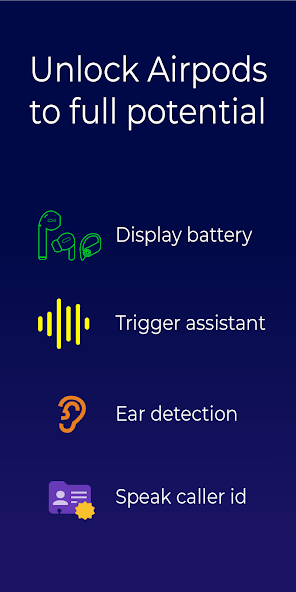
- Comprehensive Compatibility: AssistantTrigger supports a range of AirPods models, including AirPods 1 through 4, AirPods Pro 1 and 2, AirPods Max, and Powerbeats Pro. This wide-ranging compatibility ensures that regardless of your AirPods model, you can enjoy enhanced functionality on your Android device.
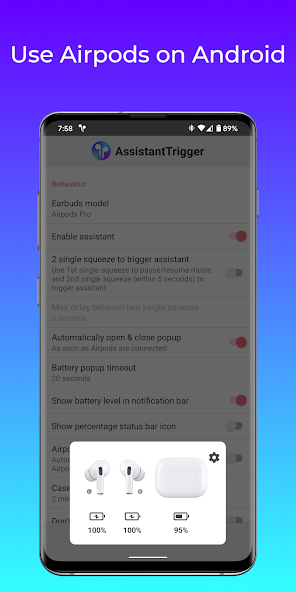
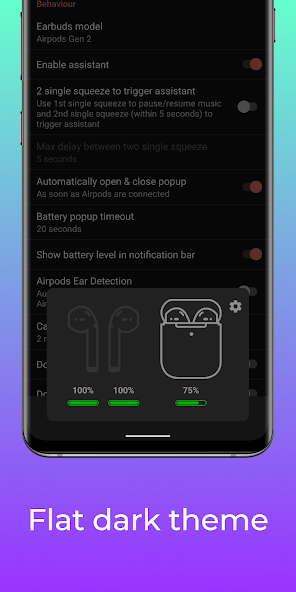
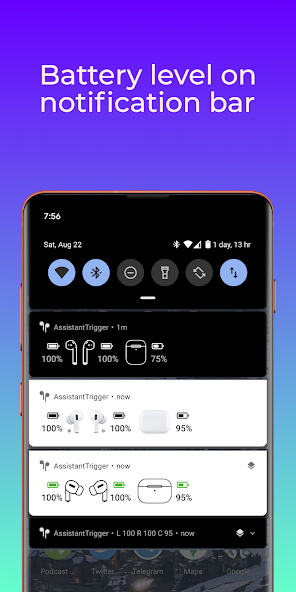
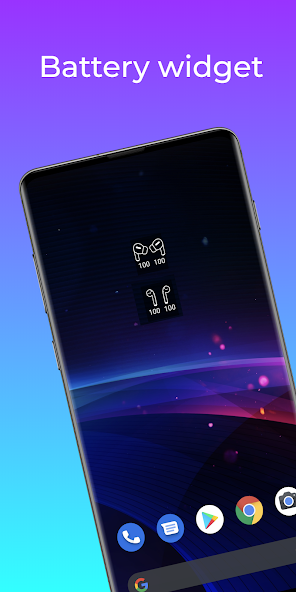
- Power Display and Notifications: Advanced features like displaying AirPods' battery levels in a popup when opening the charging case, and in the notification bar (Pro version), keep you informed about your device's status, so you're never caught off guard by low battery warnings.
- Voice Assistant Activation: Leveraging intuitive controls, users can activate their preferred voice assistant with simple gestures. A single squeeze or a double-tap on your AirPods initiates this function, making quick access to your assistant easier than ever.
- Musical Experience Enhancement: With wear detection, the app can automatically pause and resume music when your AirPods are removed or reinserted, providing a seamless audio experience without manual intervention.
- Caller and Notification Announcements: AssistantTrigger can announce incoming calls and application notifications to your AirPods, which is a particularly beneficial feature for users who are constantly on the move.
Smooth User Experience
One of the key highlights of AssistantTrigger is its intuitive user interface, which simplifies the interaction with complex functions. Android users will appreciate the ease of setting up and customizing the app to match their specific needs, enhancing their AirPods' use on non-Apple devices.
No-Risk Installation Guide
Downloading and installing AssistantTrigger is straightforward and secure when done through trusted sources like Apkmody. By enabling 'unknown sources' on your Android device, you can safely download the MOD APK version and enjoy expanded features without any complications.
Conclusion: Unlocking AirPods' Full Potential on Android
AssistantTrigger stands out as a must-have tool for Android users who wish to get the most out of their AirPods. By offering features typically exclusive to Apple's ecosystem, this app provides a seamless integration that enriches the Android user experience. For those interested in maximizing their AirPods' capabilities, downloading AssistantTrigger is a highly recommended step. Explore the available download options to enhance your audio interaction, today.
Apps Information
-
Size
22.68M
-
Language
English
-
Developer
DotArrow Inc
-
Version
v6.1.0
-
Updated
11 23, 2026
-
Package
com.dotarrow.assistantTrigger
-
Category
System Tools
Related Topics
More- Best Tools Apps

11 18, 2026Update
Get the best Android utility apps in 2026. Download free tools for file management, phone cleaning, security, system optimization, and everyday productivity.





Related News
More


You Might Also Like
Change



Similar Apps
More-
View
 Translate
9.29M
-
View
 Anti Spy
14.63M
-
View
 Speedify VPN
14.02M
-
View
 Lock Me Out
3.23M
-
View
 Dtel Telecom
37.25M
-
View
 LinkedIn
52.39M
-
View
 Utool
42.16M
-
View
 Picture Bird
86.2M
Featured Topics
More


Popular Apps
More


Question
- Download failed
- Outdated Resources
- Resource Error
- Viral Applications
- Pornography
- Gambling
- Political Unrest
- Fraud
- Infringement
- Other
Description
Tel
Report or Correction