

FE File Explorer
For Android
Screenshot
Apps Introduction
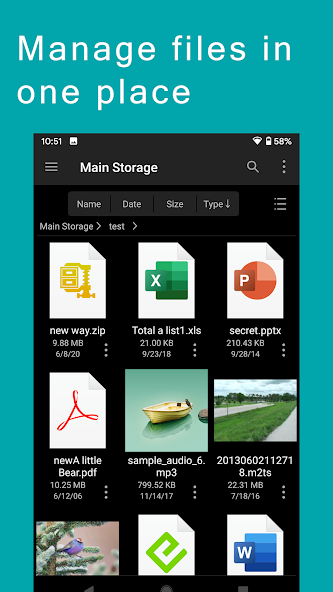
FE File Explorer is a versatile Android application designed to streamline the way you manage files across devices and platforms. With FE File Explorer, users can access and manage files from local storage as well as from computers, NAS, and various cloud services. This application is particularly appealing to Android users who need a comprehensive and efficient file management solution that offers seamless integration with multiple storage options, including Macs, PCs, Linux systems, and cloud platforms like Dropbox and OneDrive. Whether it's for professional or personal use, FE File Explorer enhances file accessibility and organizational capabilities.
Key Features and Capabilities
FE File Explorer offers an array of features that cater to different file management needs:
- Access Network Shares: Connect with SMB/CIFS protocols to access macOS, Windows, Linux, and NAS network shares.
- Versatile Server Access: Integrate seamlessly with WebDAV, FTP, and SFTP servers for comprehensive file management.
- Cloud Storage Integration: Access and manage files from cloud services such as OwnCloud, Dropbox, and OneDrive.
- Local and Remote File Management: Easily handle files located in your device's internal storage, SD card, or USB OTG.
- Cross-Platform File Transfer: Transfer files effortlessly between Android, iOS, and remote storage locations.
- Real-Time Editing: Edit documents directly on your Android device and see changes saved back to remote storage.
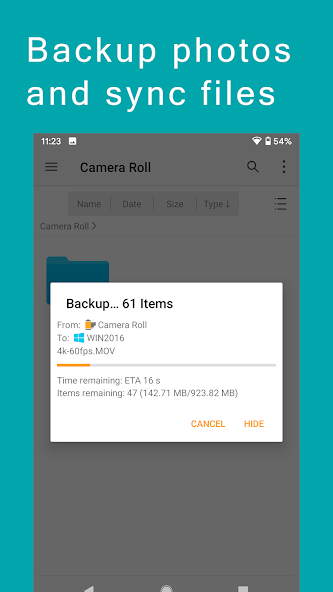
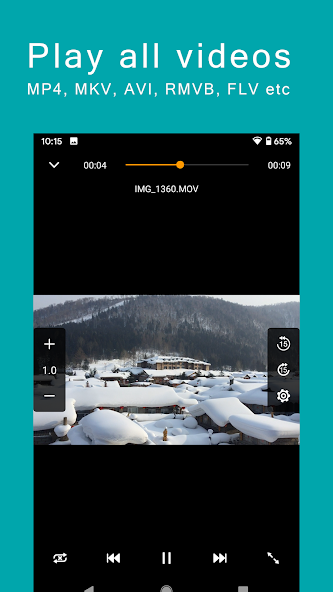
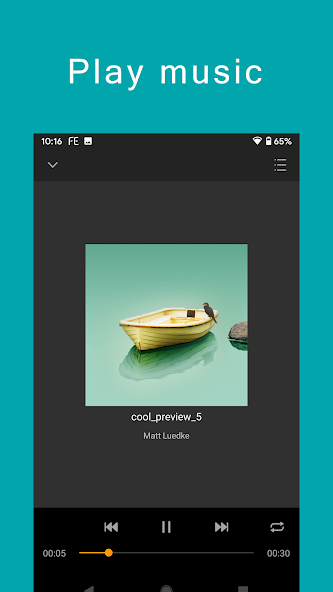
- Media Streaming and Backup: Stream movies and music to your Android device and back up camera photos to remote storage.
User Experience and Interface
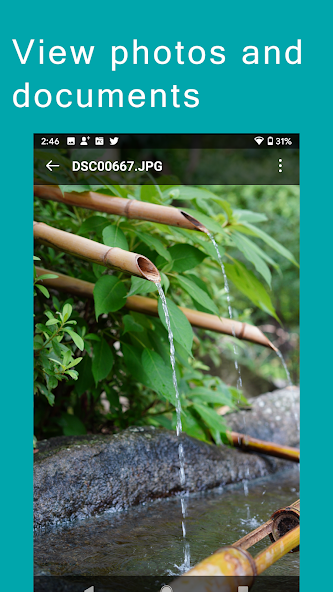
FE File Explorer promises an intuitive user experience with a clean and user-friendly interface. Navigating through files and connecting various storage options is made straightforward, catering to both tech enthusiasts and casual users. The application's ability to preview documents, images, and media files without downloading enhances user convenience and saves time.
Applications and Use Cases
From professional environments where accessing network drives is crucial, to individual users looking to manage their personal collections of media and documents, FE File Explorer caters to a broad spectrum of needs. Its robust connectivity options also make it indispensable for IT professionals and users of multiple device ecosystems.
Seamless Compatibility and Requirements
FE File Explorer is designed to work flawlessly across various Android devices. Its compatibility with network protocols and cloud services means users can integrate the app into their existing workflows without disruption. Being lightweight, it does not demand extensive resources from your device, making it suitable for a wide range of Android versions.
Conclusion: A Comprehensive File Management Solution
FE File Explorer offers Android users an efficient, multi-functional file management tool that bridges the gap between local, network, and cloud-based storage. Its ease of use and robust feature set make it invaluable for anyone seeking to organize and access files seamlessly across different platforms. For those interested in optimizing their file management experience, downloading FE File Explorer via a reliable Android source provides an excellent opportunity to explore its vast capabilities.
Apps Information
-
Size
98.91M
-
Language
English
-
Developer
Skyjos Ltd.
-
Version
v4.7.2
-
Updated
11 26, 2026
-
Package
com.skyjos.apps.fileexplorer
-
Category
System Tools
Related News
More


You Might Also Like
Change






Similar Apps
More-
View
 Texpand
34.52M
-
View
 Root Booster
2.68M
-
View
 Shizuku
2.48M
-
View
 NetVPN
26.3M
-
View
 Global VPN
47.08M
-
View
 Clean Master
21.72M
-
View
 FullRoid X
74.93M
-
View
 Magisto
26.68M
Featured Topics
More


Popular Apps
More-
View
 Level SuperMind
95.67M
-
View
 Amor AI
29.48M
-
View
Texpand
34.52M
-
View
 Restyle
17.04M
-
View
Root Booster
2.68M
-
View
 CDisplayEx
14.43M
-
View
 Film Maker Pro
38.26M
-
View
 Filmic Pro
58.96M
Question
- Download failed
- Outdated Resources
- Resource Error
- Viral Applications
- Pornography
- Gambling
- Political Unrest
- Fraud
- Infringement
- Other
Description
Tel
Report or Correction