
TCL Remote
For Android
Screenshot
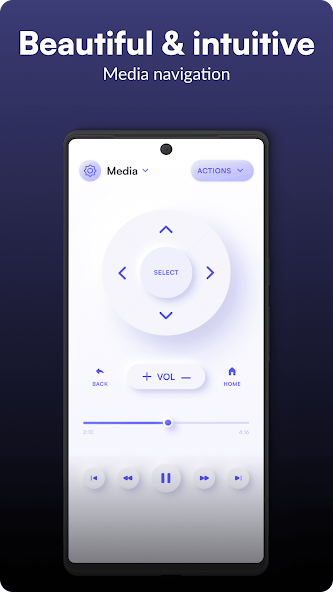
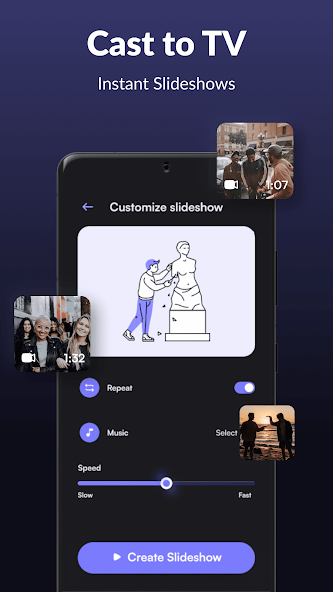
Apps Introduction
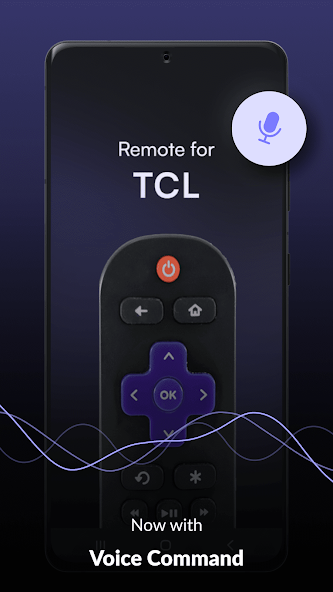
One of the most convenient solutions for controlling your TCL TV right from your Android device is the TCL Remote application. This Android app offers an effective way to manage your Smart TV, Roku, and even older TCL models without Wi-Fi. The primary purpose of TCL Remote is to provide users with a versatile remote control option that simplifies television management without needing the original remote. Whether you've misplaced your physical remote or it has stopped working, Android users will find TCL Remote to be an intuitive tool capable of enhancing their entertainment setup.
Main Features and Functions
The TCL Remote app is designed to be an all-encompassing control solution for your TV that supports a wide variety of models. From TCL Smart TVs and Roku TVs to older versions, this application ensures compatibility. One highlight of this app is its dual connection capability — it operates via both WiFi and Infra-Red, making it adaptable for any situation.
Application Usage and Interface
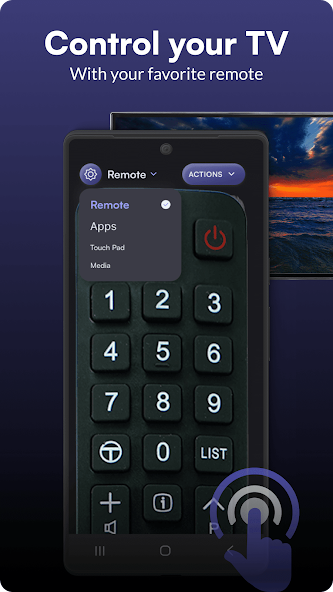
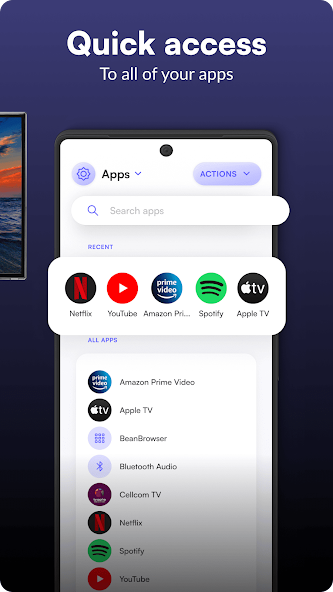
Using the TCL Remote app is straightforward. To operate via WiFi, simply connect your Android device to the same network as your TV, select the TV from the available devices, or manually add it using the IP address if not automatically detected. For those with older TVs, Infra-Red connectivity is an option. The user-friendly interface includes a remote control screen, a touch pad for navigating, and an apps menu, where you can manage and access applications installed on your TV.
Advantages and Limitations
The key advantage of the TCL Remote is its broad compatibility with different TCL TV models, adding significantly more value by being able to connect through various methods. Another strength is the flexibility it offers by allowing different user interfaces tailored to user preferences. However, it is important to note that while the app provides extensive functionality, it is not the official TCL app and does not receive support from TCL itself.
Practical Applications
Whether for regular TV viewing, accessing streaming services, or playing media files, the TCL Remote app supports a smooth TV experience. Its practicality shines through for users who frequently switch between apps or prefer using a touchpad for navigation. The app also benefits users with multiple TVs of varying models within the same household, offering them a centralized control point.
Conclusion
The TCL Remote app makes an excellent choice for Android users seeking an efficient way to control their TCL Smart TVs, Roku TVs, and even older models without a WiFi connection. Its ability to connect via both WiFi and Infra-Red makes it a practical tool for diverse settings. Whether you are looking for a new remote solution because your old one is misplaced or non-functional, the TCL Remote delivers a user-friendly and versatile experience. Enthusiasts can check out the TCL Remote APK download for a more detailed exploration of its functionalities.
Apps Information
-
Size
49.37M
-
Language
English
-
Developer
osApps
-
Version
v9.5.48
-
Updated
11 20, 2026
-
Package
com.osfunapps.remotefortcl
-
Category
System Tools
Related Topics
More- Entertainment Apps Free

11 18, 2026Update
Find the best free entertainment apps for Android in 2026. Watch movies, stream music, enjoy short videos and live content, and turn your phone into an all-in-one entertainment hub.
-
View
 Ad Blocker
System Tools / 8.92MB
-
View
TCL Remote
System Tools / 49.37MB
-
View
 aPlayer
Video & Audio / 25.04MB
-
View
 Paris 2024 Olympics
Entertainment Apps / 34.57MB
-
View
 SimSimi
Entertainment Apps / 205.11MB
-
View
 YourHour
System Tools / 7.43MB
Related News
More


You Might Also Like
Change





Similar Apps
More-
View
Ad Blocker
8.92M
-
View
 NowAI
107.52M
-
View
 AI Chat Ask AI Chat Anything
64.79M
-
View
 iTranslate
212.46M
-
View
 RecCloud
77.31M
-
View
 Frequency Generator
4.36M
-
View
 FocusX
23.37M
-
View
 Captions Ai
67.03M
Featured Topics
More

Popular Apps
More



Question
- Download failed
- Outdated Resources
- Resource Error
- Viral Applications
- Pornography
- Gambling
- Political Unrest
- Fraud
- Infringement
- Other
Description
Tel
Report or Correction