
Equalizer Pro
For Android
Screenshot
Apps Introduction
Equalizer Pro is an Android application designed to enhance your mobile audio experience through a robust set of equalizer and sound enhancement features. By installing Equalizer Pro APK, users can significantly improve the sound quality of their media players, thanks to its intuitive equalizer, bass boost, and volume amplification tools. Whether you're listening to music or watching a video, Equalizer Pro ensures that every sound is optimized to your preference. Explore its customization capabilities and discover how it can transform your audio environment.
Comprehensive Sound Enhancement Features
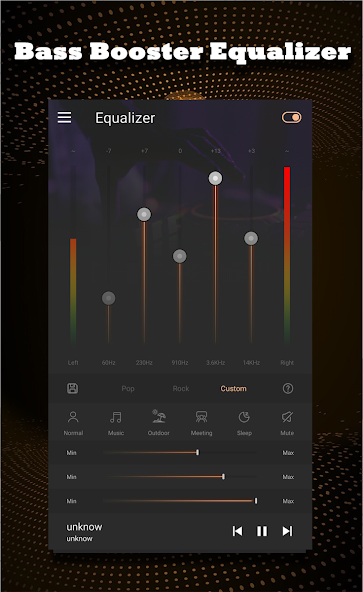
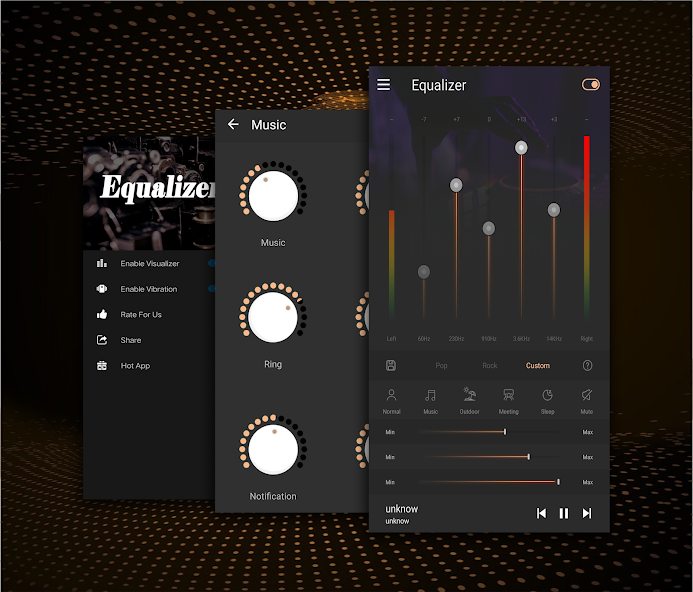
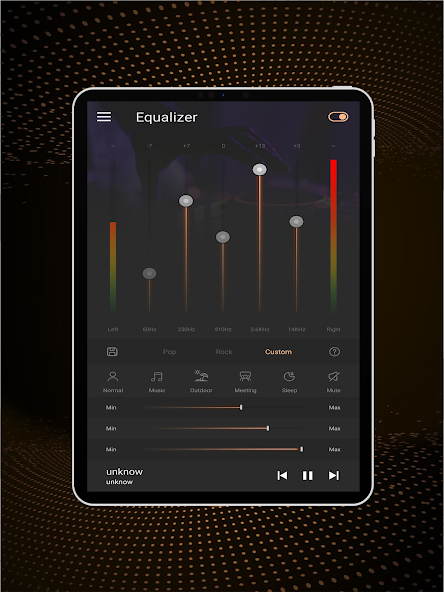
Equalizer Pro excels in providing a thorough package of features aimed at elevating sound quality on your device. It includes a powerful equalizer with five bands, allowing for precise audio tuning. Complementing this are bass boost effects that significantly enhance low-frequency output, adding depth to your music and media. Volume amplification options let you uplift audio levels, ensuring clarity in various environments. With these capabilities, Equalizer Pro transforms standard audio playback into an immersive experience.
Customizable Audio Settings for Every Scenario
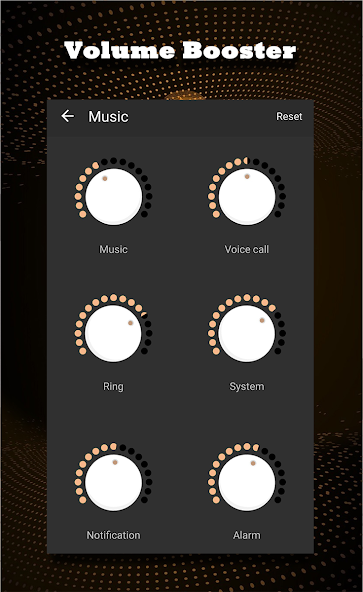
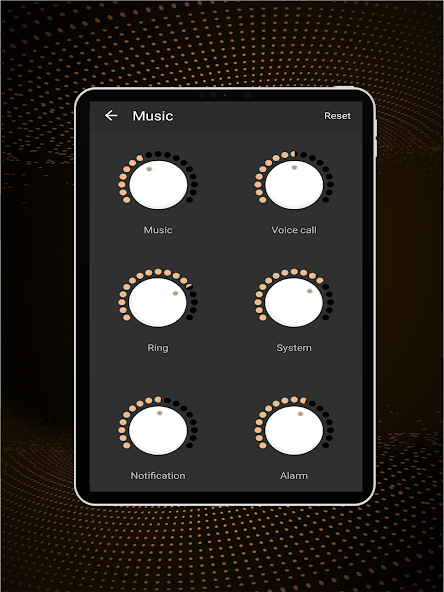
One of Equalizer Pro's standout features is its flexibility in audio settings. The app offers six predefined volume modes, such as music, normal, and outdoor, along with a sleep mode and a customizable option to suit any occasion. Additionally, users can manipulate seven different volume types, including system, media, and ringtone volumes. This granularity in control means you can tailor your audio environment to precise needs, whether you're in a meeting, outdoors, or unwinding to soothing music.
User Interface and Visual Appeal
Equalizer Pro is as user-friendly as it is powerful. It provides an easy-to-navigate interface that appeals to both casual users and audio enthusiasts. The visual spectrum analyzer within the app offers a graphical representation of sound frequencies, enhancing the user experience during audio adjustments. This attention to detail ensures not only easy use but also an engaging interaction with your music and media.
Compatibility and Easy Installation
Equalizer Pro supports a wide range of Android devices, ensuring that most users can take advantage of its features. Installation is straightforward, with a downloadable APK available from reliable sources such as Apkmody. The installation guide is simple: download the APK, enable 'unknown sources' on your device, install, and enjoy the enhanced audio quality instantly. This ease of access and installation makes Equalizer Pro a viable option for those seeking audio improvements without hassle.
Conclusion: Elevate Your Audio Experience with Equalizer Pro
In summary, Equalizer Pro is a comprehensive tool for anyone looking to improve the audio performance of their Android device. With its extensive customization options, robust sound enhancement features, and intuitive interface, it caters to diverse user needs efficiently. Whether you are aiming to boost your sound quality for media playback or seeking customizable volume settings for different environments, Equalizer Pro is designed to deliver. Explore the download information to harness its full potential and revolutionize your audio experience.
Apps Information
-
Size
4.06M
-
Language
English
-
Developer
WetcRun
-
Version
v1.5.7
-
Updated
11 21, 2026
-
Package
equalizer.eq.bassbooster.volume.pro
-
Category
Video & Audio
Related Topics
More- Best Tools Apps

11 18, 2026Update
Get the best Android utility apps in 2026. Download free tools for file management, phone cleaning, security, system optimization, and everyday productivity.
-
View
 MP3 Recorder
Video & Audio / 5.37MB
-
View
 Tezza
Photo Enhancement / 401.3MB
-
View
 Rap Fame
Video & Audio / 69.83MB
-
View
 Snap Markup
System Tools / 46.42MB
-
View
 Text On Photo
Photo Enhancement / 97.88MB
-
View
 Video Player
System Tools / 13.76MB
Related News
More


You Might Also Like
Change




Similar Apps
More-
View
MP3 Recorder
5.37M
-
View
Rap Fame
69.83M
-
View
 Cute CUT
141.29M
-
View
 Dubs
85.84M
-
View
 Music Speed Changer
26.22M
-
View
 Replaio Radio
34.66M
-
View
 Zoomerang
115.84M
-
View
 Avee Player
20.07M
Featured Topics
More


Popular Apps
More-
View
MP3 Recorder
5.37M
-
View
 Yoga
46.31M
-
View
 CountThings
256.39M
-
View
Tezza
401.30M
-
View
Rap Fame
69.83M
-
View
Snap Markup
46.42M
-
View
 NetBoom
51.42M
-
View
Text On Photo
97.88M
Question
- Download failed
- Outdated Resources
- Resource Error
- Viral Applications
- Pornography
- Gambling
- Political Unrest
- Fraud
- Infringement
- Other
Description
Tel
Report or Correction