
Snap Markup
For Android
Screenshot
Apps Introduction
Snap Markup is an innovative Android application designed to enhance and annotate images effortlessly. As a versatile image highlighter, Snap Markup stands out with its powerful editing tools that simplify the process of marking up photos, adding text, and highlighting important details. Users can expect an intuitive interface that allows for easy image customization, whether for professional, academic, or creative purposes. With Snap Markup, enhancing images with annotations, text, and graphics becomes a seamless experience, elevating the visual presentation to new heights.
Dynamic Image Editing Capabilities
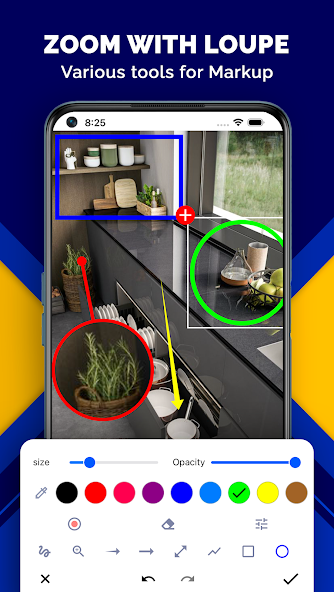
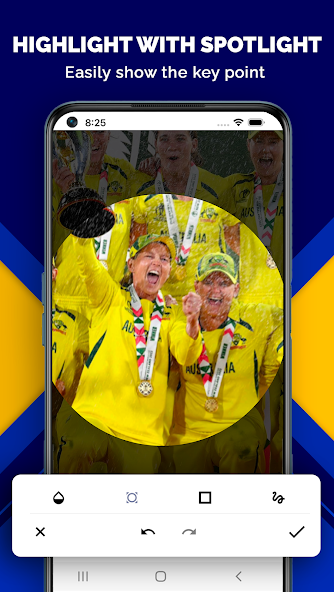
Snap Markup offers an array of dynamic image editing capabilities, making it a go-to tool for anyone looking to modify and annotate their photos. Its features include the ability to crop and rotate images into various shapes such as rectangles, stars, and circles. Users can also implement spotlight effects to highlight specific areas, hide sensitive information using pixelation or blur effects, and apply a magnifying glass effect for a detailed examination of selected regions.
Personalized Annotations and Customization
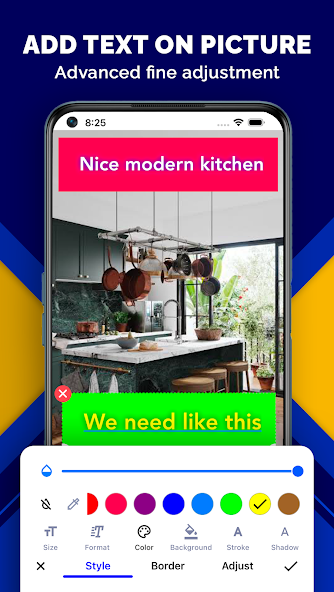
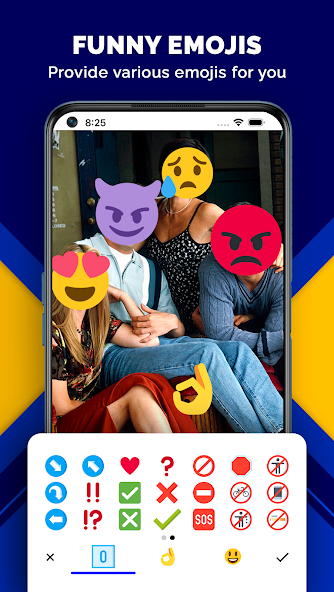
The application allows users to add a personal touch to their images through various annotation tools. One can insert arrows, lines, circles, rectangles, and custom hand-drawn patterns onto photos. The text customization feature lets users modify font color, style, size, shadow, and outline to suit their preferences. Emojis, stickers, and numbers can also be embedded to make images more lively and engaging.
Comprehensive Screenshot Tools
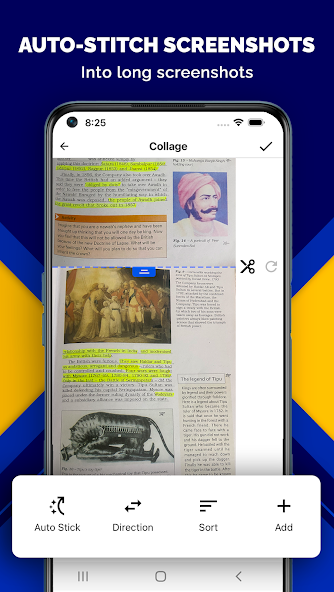
Snap Markup excels as a screenshot editor, providing users with tools to enhance captured images. Whether you need to highlight, draw, blur text, or annotate, the app's screenshot editing capabilities offer a seamless modification experience. This feature is ideal for work-related tasks, educational purposes, and creative projects, enabling users to present ideas clearly and effectively.
Efficient Image Layout Transformation
With Snap Markup, transforming images into clear and informative layouts is both quick and efficient. The app supports various operations, such as inserting text and annotations and editing graphics. This makes it an essential tool for professionals like students, designers, and project managers who need to convey concepts visually and succinctly.
Conclusion: Enhance Your Image Annotation Skills
Snap Markup is perfect for those looking to enhance their image annotation skills with ease and professionalism. By offering powerful tools for text insertion, annotation, and graphic editing, it caters to a broad audience, including students and professionals alike. If you're interested in refining your image editing work, Snap Markup provides a comprehensive solution for Android users. Explore its capabilities and consider downloading it today to elevate your visual projects.
Apps Information
-
Size
46.42M
-
Language
English
-
Developer
Photo & Video Editors - Instant Solution
-
Version
v9.1.1
-
Updated
11 21, 2026
-
Package
com.snapmarkup
-
Category
System Tools
Related Topics
More- Best Tools Apps

11 18, 2026Update
Get the best Android utility apps in 2026. Download free tools for file management, phone cleaning, security, system optimization, and everyday productivity.
-
View
 MP3 Recorder
Video & Audio / 5.37MB
-
View
 Tezza
Photo Enhancement / 401.3MB
-
View
 Rap Fame
Video & Audio / 69.83MB
-
View
Snap Markup
System Tools / 46.42MB
-
View
 Text On Photo
Photo Enhancement / 97.88MB
-
View
 Video Player
System Tools / 13.76MB
Related News
More


You Might Also Like
Change



Similar Apps
More-
View
 CountThings
256.39M
-
View
 ColorFulCalc
11.58M
-
View
Video Player
13.76M
-
View
 Mirroring
2.41M
-
View
 Better File Cleaner
21.72M
-
View
 Duplicate Remover
31.66M
-
View
 Timy Alarm Clock
11.91M
-
View
 Unpluq
26.34M
Featured Topics
More


Popular Apps
More-
View
MP3 Recorder
5.37M
-
View
 Yoga
46.31M
-
View
CountThings
256.39M
-
View
Tezza
401.30M
-
View
Rap Fame
69.83M
-
View
Snap Markup
46.42M
-
View
 NetBoom
51.42M
-
View
Text On Photo
97.88M
Question
- Download failed
- Outdated Resources
- Resource Error
- Viral Applications
- Pornography
- Gambling
- Political Unrest
- Fraud
- Infringement
- Other
Description
Tel
Report or Correction