
Text On Photo
For Android
Screenshot
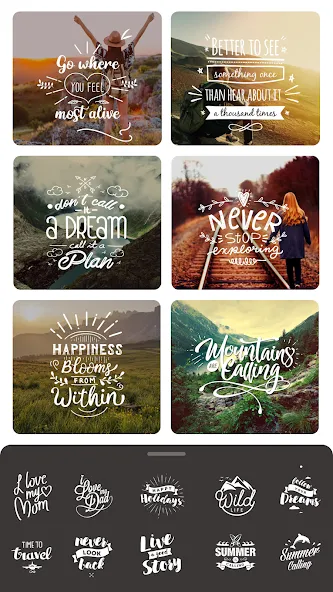
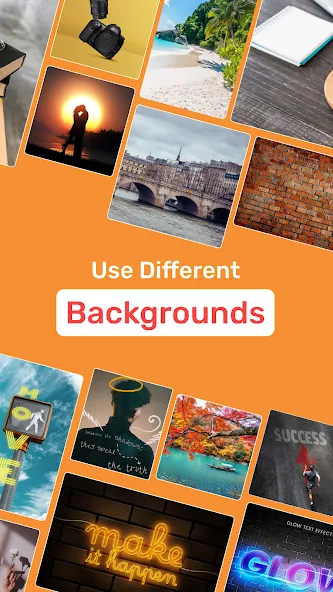
Apps Introduction
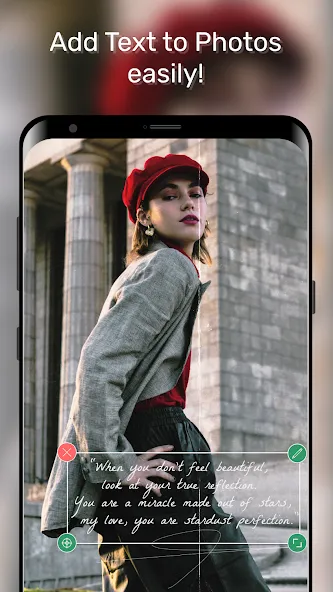
Text On Photo is an engaging Android application designed to transform your ordinary images into expressive visual art by adding personalized text. This application's primary function is to allow users to customize their photos with words, quotations, names, and creative typography, giving each image a unique personal touch. Text On Photo stands out with a vast array of fonts, colors, and customizable formatting options. Users can expect an easy-to-navigate interface that empowers them to effortlessly craft images that convey their messages with style and flair.
Comprehensive Text Customization Tools
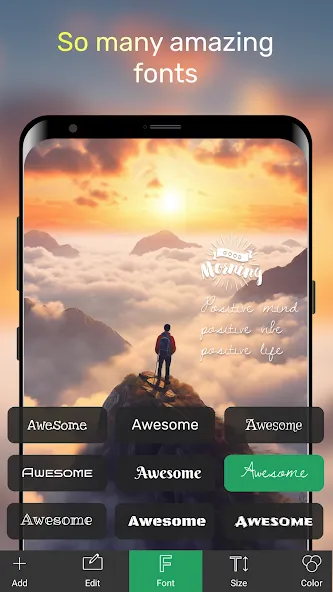
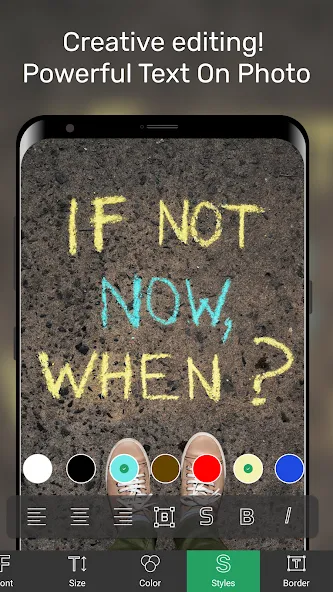
Text On Photo provides a suite of powerful tools for text customization. Users can choose from over 200 fonts and adjust text size, color, alignment, and style to suit their design needs. Additionally, the application offers advanced typography options such as bold, italic, underline, and shadow effects. Each word or letter can be styled separately, allowing for distinctive, creative designs. This flexibility makes it a perfect application for crafting anything from motivational quotes to personalized invitations.
Layer Management and Creative Overlays
The application supports complex compositions with its ability to manage multiple layers. Users can add stickers, shapes, and even other images without compromising the design’s integrity. This function allows for enhanced creativity, enabling detailed artworks that feature various textures and perspectives. Adjusting the opacity, positioning, and outline of each element gives users an extraordinary level of control over their creations, enhancing the design experience.
Background and Canvas Adjustments
Text On Photo provides robust tools to manipulate the background and canvas. Users can change the base picture by resizing, cropping, rotating, flipping, and applying visual filters. The application further simplifies precision editing through pan and zoom capabilities, allowing users to refine smaller details without disturbing the overall composition. This flexibility ensures that designs remain adaptable and creative.
Enhance Photos with Stickers and Artwork
Beyond just text, Text On Photo includes hundreds of decorative elements, such as emojis, stickers, and artwork, to enhance photo designs. Users can select and add these from various categories to adorn their images, making the final product more lively and engaging. This feature is ideal for users looking to add a playful or artistic touch to their creations, subsequently sharing them across various platforms.
Unleash Creativity with Text On Photo
Text On Photo serves as a comprehensive tool for turning simple images into personal masterpieces. Its extensive customization options, coupled with intuitive layer management and background tools, make it ideal for users who want to create visually appealing greeting cards, social media posts, or custom quotes. For those interested in exploring these creative capabilities, downloading Text On Photo offers a seamless way to start crafting personalized visual content on their Android device.
Apps Information
-
Size
97.88M
-
Language
English
-
Developer
Bizcraft Apps
-
Version
v17.1.1
-
Updated
11 21, 2026
-
Package
nt.textonphoto
-
Category
Photo Enhancement
Related Topics
More- Best Tools Apps

11 18, 2026Update
Get the best Android utility apps in 2026. Download free tools for file management, phone cleaning, security, system optimization, and everyday productivity.
-
View
 MP3 Recorder
Video & Audio / 5.37MB
-
View
 Tezza
Photo Enhancement / 401.3MB
-
View
 Rap Fame
Video & Audio / 69.83MB
-
View
 Snap Markup
System Tools / 46.42MB
-
View
Text On Photo
Photo Enhancement / 97.88MB
-
View
 Video Player
System Tools / 13.76MB
Related News
More


You Might Also Like
Change





Similar Apps
More




Featured Topics
More


Popular Apps
More-
View
MP3 Recorder
5.37M
-
View
 Yoga
46.31M
-
View
 CountThings
256.39M
-
View
Tezza
401.30M
-
View
Rap Fame
69.83M
-
View
Snap Markup
46.42M
-
View
 NetBoom
51.42M
-
View
Text On Photo
97.88M
Question
- Download failed
- Outdated Resources
- Resource Error
- Viral Applications
- Pornography
- Gambling
- Political Unrest
- Fraud
- Infringement
- Other
Description
Tel
Report or Correction