
iLauncher
For Android
Screenshot
Apps Introduction
The iLauncher is a transformative Android application designed to mimic iOS aesthetics and functionalities on your Android device. With iLauncher, users can achieve an iPhone-like interface, enriching their phone's visual appeal and user experience. Known for its customizability, this launcher lets users tailor their home screen to reflect their personal style, ensuring a unique and cohesive smartphone interface. Expect a seamless transition from Android to iOS design elements, including app icons and widgets, all while enhancing the device's overall performance.
Customizing Your Android with iLauncher
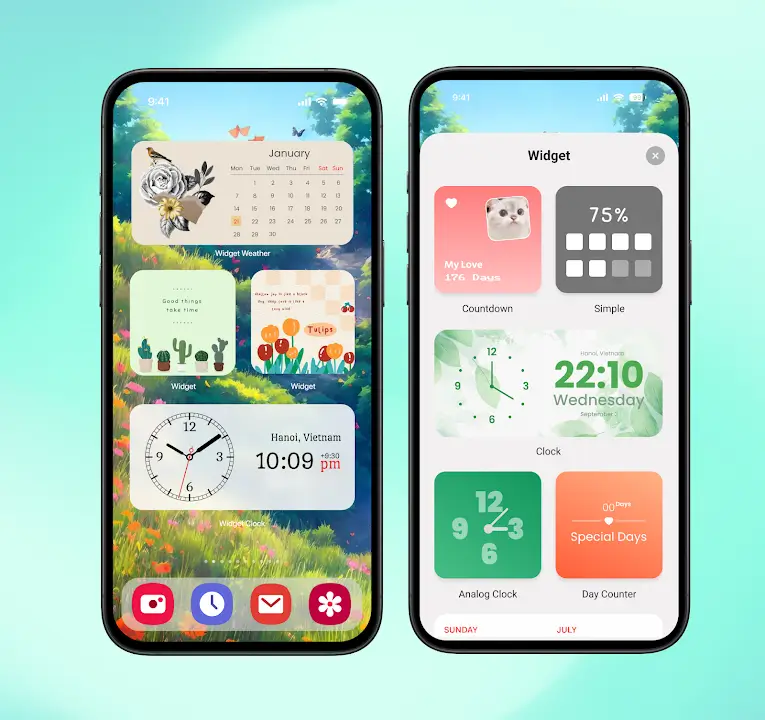
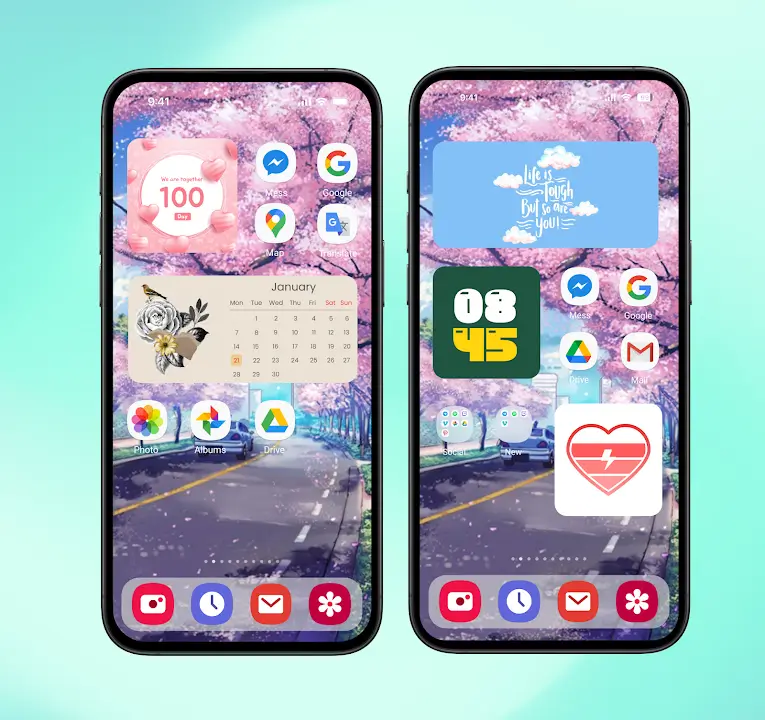
With iLauncher, you can significantly alter your Android's visual dynamics. The application allows for intense customization options, offering a variety of themes and widgets to personalize your home screen. Users can manage app icons, modify names, and hide apps they prefer not to display. This extensive level of customization is a key feature that sets iLauncher apart from native Android launchers.
Advanced Features and Functionalities
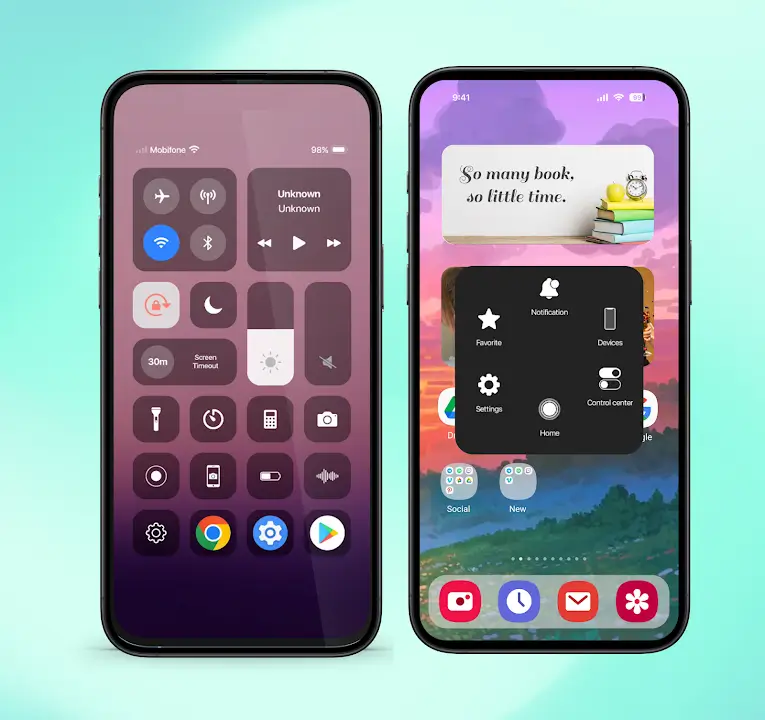
iLauncher provides several advanced features beyond basic cosmetic changes. It includes the ability to alter the lock screen with security features like pattern locks and passcodes. Additionally, quick access to frequently used apps is facilitated by Siri-like suggestions, enhancing user efficiency. Users can also manipulate the desktop grid, toggle infinite scrolling, and customize folder views for a more tailored user experience.
Interactive Widgets and Ease of Access
The application boasts an array of widgets, including Calendar, Battery, Weather, and Clock widgets, which users can personalize. These widgets aim to create a cohesive aesthetic while providing practical functionality. The integration of these elements transforms how you interact with your device, making it not only visually pleasing but also highly functional.
Installation and Accessibility
To install iLauncher, ensure the compatibility of your device and download it from a trusted source. Follow the installation instructions to set it as your default launcher for a smooth transition. The application does not collect or distribute personal data, safeguarding user privacy while providing accessibility permissions for improved functionality.
Bringing iOS Features to Android
iLauncher empowers users to substitute their Android home screen with an iOS-themed interface through a simple setup process. It provides a user-friendly experience by offering one-click transitions, thereby eliminating the complexities of incremental modifications. This app is particularly appealing for users desiring an Apple-like experience on Android devices.
iLauncher successfully bridges the gap between Android and iOS, making it an ideal choice for users who prefer iOS aesthetics without switching devices. Its blend of customization, efficient performance, and ease of installation makes it a compelling option for those looking to refresh their Android interface. To explore more about iLauncher and its transformative capabilities, consider downloading it to experience a renewed interaction with your Android device.
Apps Information
-
Size
21.41M
-
Language
English
-
Developer
BlueSkySoft.
-
Version
v2.1.7
-
Updated
11 26, 2026
-
Package
com.launcheros15.ilauncher
-
Category
Theme Wallpapers
Related News
More


You Might Also Like
Change




Similar Apps
More-
View
 Nature Wallpapers
9.41M
-
View
 Proton
50.26M
-
View
 PastelLine
44.19M
-
View
 Super
135.59M
- View
-
View
 Baked
99.65M
-
View
 Lock Screen
24.87M
-
View
 True Amps
11.71M
Featured Topics
More


Popular Apps
More-
View
 Level SuperMind
95.67M
-
View
 Amor AI
29.48M
-
View
 Texpand
34.52M
-
View
 Restyle
17.04M
-
View
 Root Booster
2.68M
-
View
 CDisplayEx
14.43M
-
View
 Film Maker Pro
38.26M
-
View
 Filmic Pro
58.96M
Question
- Download failed
- Outdated Resources
- Resource Error
- Viral Applications
- Pornography
- Gambling
- Political Unrest
- Fraud
- Infringement
- Other
Description
Tel
Report or Correction