

DWG FastView
For Android
Screenshot
Apps Introduction
DWG FastView is an Android application designed to provide users with a powerful CAD viewer and editor, particularly useful for professionals in the construction and architecture industries. Offering a broad range of tools and features, DWG FastView enables users to access, edit, and manage DWG and other CAD files directly on their mobile devices. This app appeals to Android users who require a versatile and portable solution for handling design sketches and drawings, enabling them to maintain productivity even on the go.
Diverse Functionality for Professionals
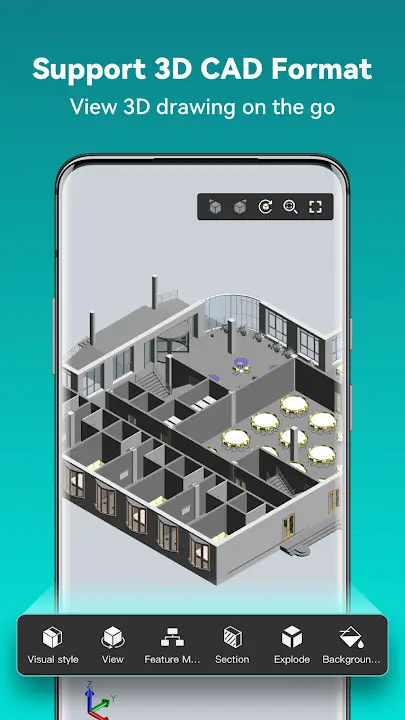
DWG FastView sets itself apart with a comprehensive suite of features tailored to meet professional needs. Users can effortlessly open, view, and edit DWG files without any special equipment, making it an essential tool for construction and design professionals. The app supports compatibility with various file formats, ensuring flexibility in managing different types of design sketches.
Advanced Tools for Editing and Creation
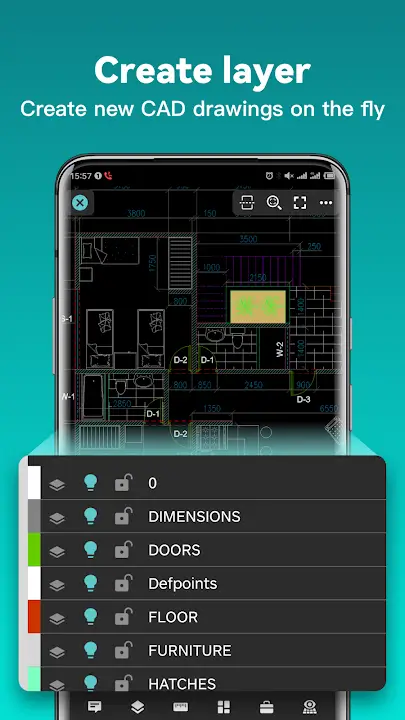
The application boasts a wide range of advanced tools that allow users to modify existing sketches or create new ones from scratch, based on personal preferences. These tools include capabilities for scaling, rotating, moving, coloring, and measuring objects within the design. Such features are designed to empower users to produce precise and professional designs efficiently.
Seamless File Management and Sharing
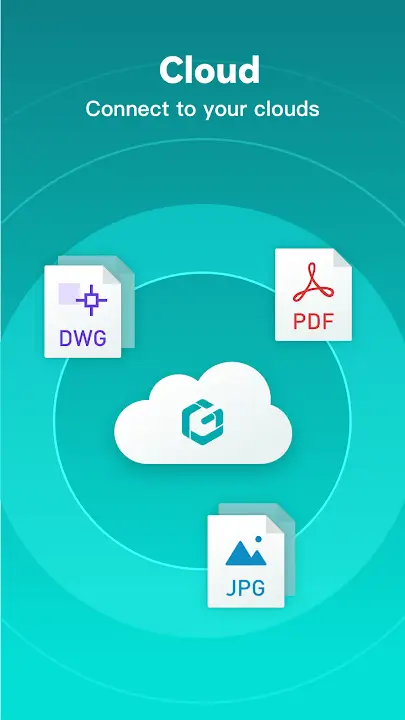
DWG FastView makes file management straightforward with its ability to save and organize files locally or on cloud services like Dropbox, Google Drive, and OneDrive. The app also offers robust exporting options, allowing users to convert drawings to various formats like PDF, BMP, JPG, and PNG, facilitating easy sharing across different platforms.
User-Friendly Experience
The intuitive interface of DWG FastView enhances the user experience by allowing seamless interaction with a wide range of CAD features. Users can conveniently access and modify documents offline without requiring registration, and the app's offline capabilities ensure uninterrupted productivity regardless of internet access.
Enhanced Compatibility and Integration
The app further enhances functionality by integrating with AutoCAD, providing users with a broader range of features. This ensures that users can handle complex design tasks with increased efficiency and effectiveness, maintaining high-quality outputs while preserving original design integrity.
Explore the Benefits of DWG FastView
DWG FastView stands out as a versatile tool for those in need of a reliable mobile CAD viewer and editor. Its practical features, such as offline access, professional editing tools, and cloud integration, make it a valuable asset for any Android user involved in technical design and construction. To experience its full capabilities, explore more about DWG FastView through its Android download options and enhance your ability to work with CAD files seamlessly.
Apps Information
-
Size
101.03M
-
Language
English
-
Developer
Gstarsoft Co., Ltd.
-
Version
v5.19.6
-
Updated
11 27, 2026
-
Package
com.gstarmc.android
-
Category
System Tools
Related Topics
More- Best Tools Apps

11 18, 2026Update
Get the best Android utility apps in 2026. Download free tools for file management, phone cleaning, security, system optimization, and everyday productivity.
-
View
 MaaS360
Shopping Finance / 65.9MB
-
View
 Footej Camera 2
Photo Enhancement / 80.4MB
-
View
 Keylimba
Video & Audio / 4.9MB
-
View
 Virtual Xposed
System Tools / 10.1MB
-
View
DWG FastView
System Tools / 101.03MB
-
View
 Genesia AI
Lifestyle Services / 92.67MB
Related News
More


You Might Also Like
Change






Similar Apps
More-
View
Virtual Xposed
10.1M
-
View
 Douyin
34.81M
-
View
 SuperDisplay
6.48M
-
View
 Photo Scanner
215.49M
-
View
 Supper Z VPN
14.64M
-
View
 Ridmik Classic Keyboard
10.6M
-
View
 Duplicates Cleaner
10.46M
-
View
 iOSHO
61.93M
Featured Topics
More


Popular Apps
More-
View
MaaS360
65.90M
-
View
Footej Camera 2
80.40M
-
View
Keylimba
4.90M
-
View
Virtual Xposed
10.10M
-
View
DWG FastView
101.03M
-
View
Genesia AI
92.67M
-
View
Douyin
34.81M
-
View
 Cinema FV-5
6.28M
Question
- Download failed
- Outdated Resources
- Resource Error
- Viral Applications
- Pornography
- Gambling
- Political Unrest
- Fraud
- Infringement
- Other
Description
Tel
Report or Correction