
Photo Scanner
For Android
Screenshot
Apps Introduction
Photo Scanner is a versatile Android application designed to transform your mobile device into a powerful portable scanner. This innovative tool helps users efficiently scan and manage documents in a digitalized world. Utilizing cutting-edge AI and optical character recognition (OCR) technologies, Photo Scanner converts paper documents into digital formats like PDF, JPEG, Word, and TXT. Users can expect seamless scanning, effective document management, and enhanced productivity from this application.
Streamline Your Document Scanning
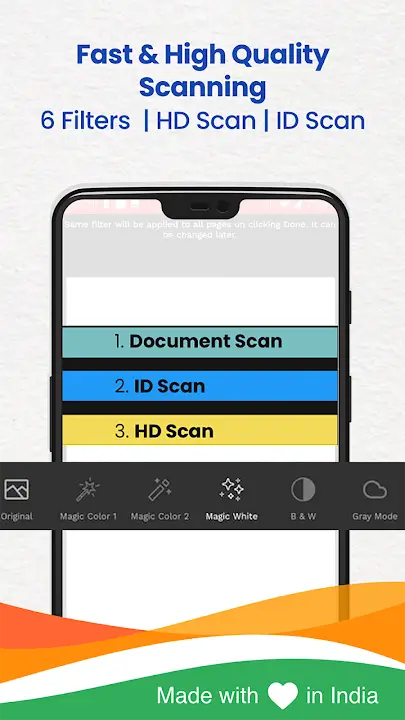
At the heart of Photo Scanner is its ability to simplify the document scanning process drastically. With just a few taps, you can easily capture and convert various documents, including receipts, notes, invoices, and more. Its smart cropping and automatic enhancement features ensure that your scanned documents are of the highest quality, with clear text and vivid graphics.
Efficient Text Recognition with OCR
The application’s advanced OCR capability allows users to extract and edit text from scanned images and PDFs effortlessly. This feature eliminates the need for manual transcription, making Photo Scanner an invaluable tool for professionals who require efficient data processing. OCR technology enhances workflow efficiency by enabling users to convert visual content into searchable and editable text.
Seamless Document Sharing and Security
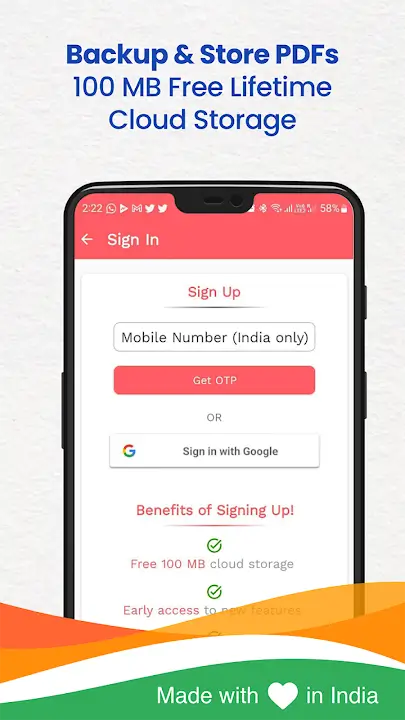
Photo Scanner supports seamless document sharing through various channels, including social media and email. You can share PDF and JPEG files easily, ensuring your digital communication remains efficient. Additionally, the app implements security features like password protection for sensitive documents, restricting access to authorized users only and safeguarding your information.
Advanced Editing and Annotation Tools
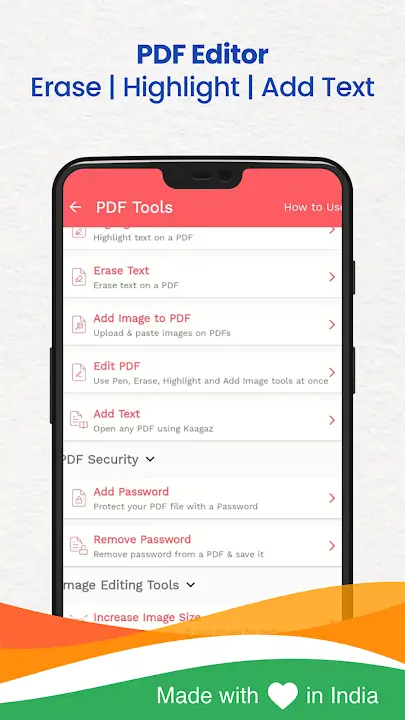
With an array of editing options, Photo Scanner allows users to annotate documents accurately and quickly. You can highlight, add notes, and insert comments to improve collaboration and document review processes. The app also enables users to apply unique watermarks for personalization and document identification.
Cross-Platform Synchronization
Beyond scanning and editing, Photo Scanner offers cross-platform synchronization, allowing you to access and update your documents across multiple devices seamlessly. This functionality ensures that your important files are always at your fingertips, regardless of the device or location, thus enhancing flexibility and productivity in today's fast-paced digital environment.
Unlock the Potential of Mobile Scanning
In summary, Photo Scanner is an essential tool for anyone looking to digitize and manage documents effortlessly. Its robust features, including efficient OCR, comprehensive editing options, and secure sharing capabilities, make it a standout choice for both personal and professional use. Explore the possibilities of this cutting-edge application and simplify your document management experience on Android today.
Apps Information
-
Size
215.49M
-
Language
English
-
Developer
Photomyne Ltd.
-
Version
v27.0.2700001L
-
Updated
11 27, 2026
-
Package
com.photomyne
-
Category
System Tools
Related Topics
More- Communication Apps List
- Best Tools Apps

11 18, 2026Update
Download the best free communication apps for Android in 2026. Enjoy instant chat, voice and video calls, file sharing, and smooth conversations with friends, family and colleagues.
-
View
 Mobile Number Location Finder
System Tools / 21.99MB
-
View
Photo Scanner
System Tools / 215.49MB
-
View
 Ridmik Classic Keyboard
System Tools / 10.6MB
-
View
 Paktor
Social Chat / 69.87MB
-
View
 Mimico
Entertainment Apps / 44.18MB
-
View
 FRep2
System Tools / 32MB

11 18, 2026Update
Get the best Android utility apps in 2026. Download free tools for file management, phone cleaning, security, system optimization, and everyday productivity.
-
View
 Xmind
System Tools / 24.22MB
-
View
 ArtCollage Pro
Photo Enhancement / 43.09MB
-
View
 Blurrr
Video & Audio / 236.66MB
-
View
 Gemmy AI
System Tools / 91.89MB
-
View
 ezPDF Reader
System Tools / 63.64MB
-
View
 Graphing Calculator by Mathlab
Work & Study / 9.62MB
Related News
More


You Might Also Like
Change




Similar Apps
More-
View
Xmind
24.22M
-
View
 Macrorify
5.77M
-
View
 Vivid N.G.
4.95M
-
View
Gemmy AI
91.89M
-
View
ezPDF Reader
63.64M
- View
-
View
 Vmake
263.6M
-
View
 Virtual Xposed
10.1M
Featured Topics
More


Popular Apps
More-
View
Xmind
24.22M
-
View
 FakeGPS Route
2.79M
-
View
Macrorify
5.77M
-
View
ArtCollage Pro
43.09M
-
View
 OSDE
68.19M
-
View
Blurrr
236.66M
-
View
 Hydro Coach PRO
14.27M
-
View
Vivid N.G.
4.95M
Question
- Download failed
- Outdated Resources
- Resource Error
- Viral Applications
- Pornography
- Gambling
- Political Unrest
- Fraud
- Infringement
- Other
Description
Tel
Report or Correction