
Screenshot Touch
For Android
Screenshot
Apps Introduction
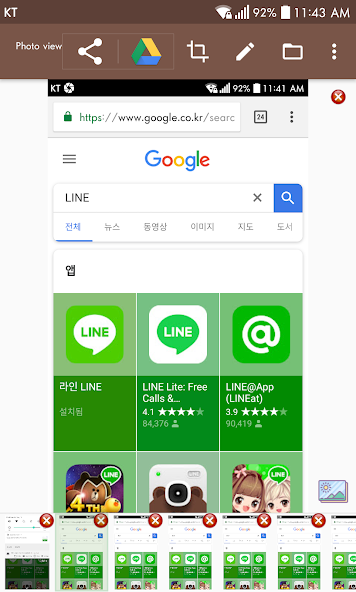
Screenshot Touch is an innovative Android application designed to simplify the process of capturing and editing screenshots on your device. With its user-friendly interface and powerful features, Screenshot Touch streamlines the often cumbersome task of screen capturing.
For Android users seeking a versatile tool for both personal and professional use, this app offers an extensive suite of functions that enhance the screenshot experience. From quick taps to capturing entire web pages, Screenshot Touch brings a comprehensive toolkit for managing and sharing digital content efficiently.
Main Features and Functions
Screenshot Touch goes beyond basic capturing capabilities by offering a range of helpful features that cater to the needs of Android users:
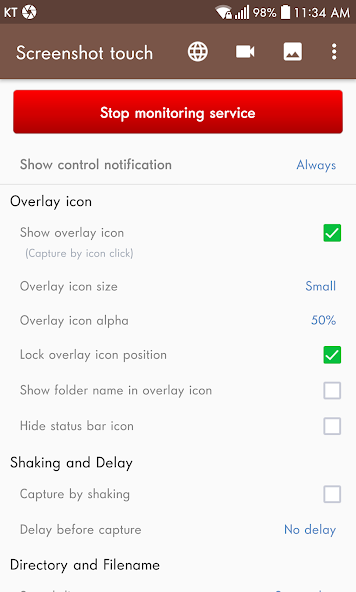
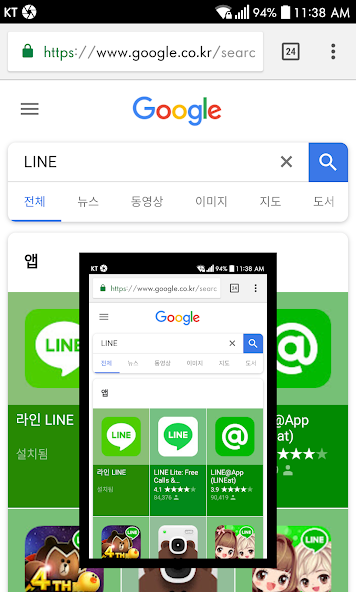
- Capture by Touch: Enjoy the ease of capturing screenshots through a floating icon, notification area, or by shaking the device.- Video Recording: Record video casts of your screen in mp4 format with options to adjust resolution, frame rate, and bit rate.
- Web Page Scrolling: Capture entire web pages using the in-app browser or share URLs to streamline the process.
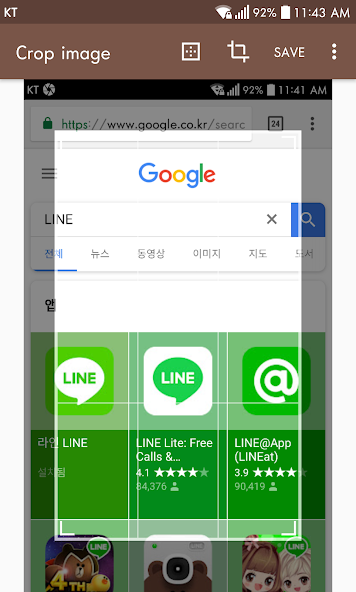
- Image Editing: Utilize tools such as cropping, text recognition, and an editor for drawing, adding stickers, and more.
- Image Stitching: Seamlessly combine multiple images or create PDFs for easy sharing and documentation.
Usage Scenarios
Screenshot Touch caters to a wide range of uses, from creating tutorials and capturing gaming highlights to documenting web content. The app's ability to edit and convert images into various formats, including PDFs, makes it a valuable tool for professionals and casual users alike who need to organize and share visuals efficiently.
User Experience
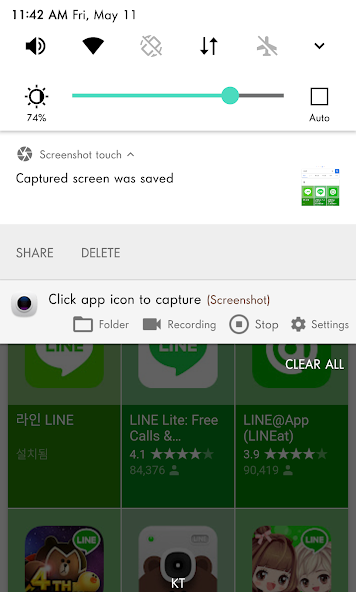
The application prioritizes user convenience, providing options like persistent notifications that improve access and multiple saving folders for better organization of screenshots. This ensures that you can focus on capturing what you need without worrying about cluttered storage or navigating complex menus.
Compatibility and Requirements
Screenshot Touch supports Android 5 and higher, leveraging the Media Projection API for smooth screen capture functionality. It also takes advantage of Accessibility Services API on Android 11 and up, allowing easier capture of screens. With minimal resource usage, the app promises reliable performance without compromising device efficiency.
Privacy and Permissions
Your privacy is respected with Screenshot Touch, as it does not collect or share data through accessibility services. Required permissions, such as file access, are essential for saving images, while optional permissions enhance functionality without affecting core services. Users have peace of mind knowing that explicit consent is needed for any screen interactions.
Conclusion: Discover the Potential of Screenshot Touch
Screenshot Touch is an essential download for Android users looking for a comprehensive and efficient solution to screen capturing. Whether you're crafting a digital portfolio, capturing critical information, or simply want an easier way to manage screenshots, this application is equipped to meet those needs. Explore the capabilities of Screenshot Touch by visiting your preferred Android APK download service and experience the seamless capture and management of screenshots.
Apps Information
-
Size
14.3M
-
Language
English
-
Developer
Daejeong Kim
-
Version
v2.7.8
-
Updated
11 25, 2026
-
Package
com.mdiwebma.screenshot
-
Category
System Tools
Related Topics
More- Best Tools Apps

11 18, 2026Update
Get the best Android utility apps in 2026. Download free tools for file management, phone cleaning, security, system optimization, and everyday productivity.
-
View
 Automatic Subtitles & Captions
Video & Audio / 70.21MB
-
View
 Movavi Clips
Video & Audio / 71.43MB
-
View
 Artify
System Tools / 17.86MB
-
View
 MultiTimer
System Tools / 9.84MB
-
View
 Video MP3 Converter
Video & Audio / 13.88MB
-
View
 Blend Photos
Theme Wallpapers / 25.36MB
Related News
More


You Might Also Like
Change





Similar Apps
More-
View
 Manglish Keyboard
67.36M
-
View
Artify
17.86M
-
View
MultiTimer
9.84M
-
View
 Speed Test
22.17M
-
View
 Caynax Hourly Chime
20.92M
-
View
 Notifications archive
10.97M
-
View
 KillApps
23M
-
View
 Activity Launcher
67.21M
Featured Topics
More


Popular Apps
More-
View
 Phrasal Verbs
20.49M
-
View
Manglish Keyboard
67.36M
- View
-
View
Movavi Clips
71.43M
-
View
Artify
17.86M
-
View
MultiTimer
9.84M
-
View
Speed Test
22.17M
-
View
Video MP3 Converter
13.88M
Question
- Download failed
- Outdated Resources
- Resource Error
- Viral Applications
- Pornography
- Gambling
- Political Unrest
- Fraud
- Infringement
- Other
Description
Tel
Report or Correction