
Blend Photos
For Android
Screenshot
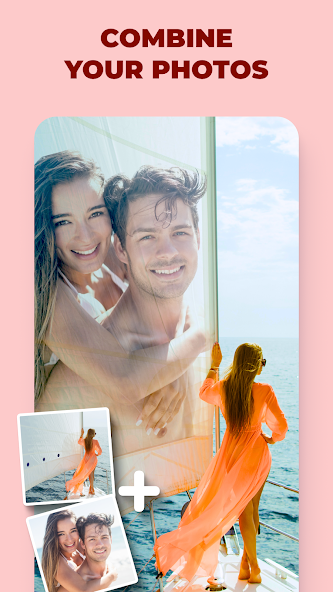
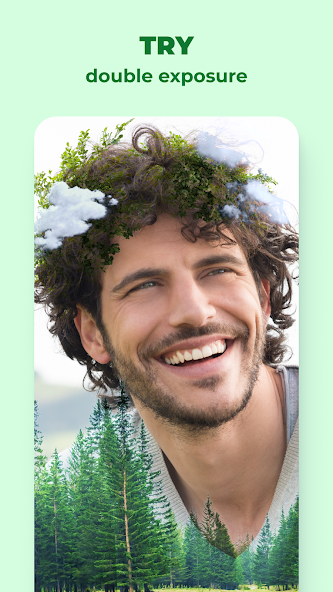
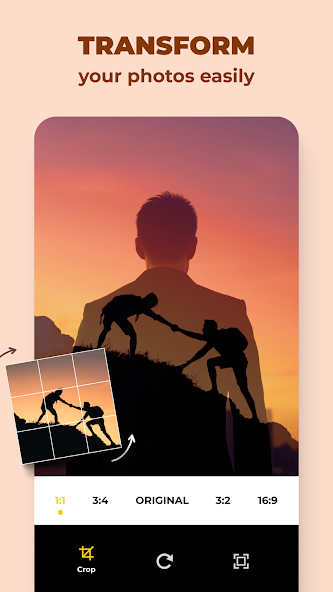
Apps Introduction
Transform your photography into stunning digital art with Blend Photos, an Android application that offers creative photo blending features. Designed for both photography enthusiasts and professionals, Blend Photos allows users to merge multiple images seamlessly, creating captivating double exposure effects and artistic compositions. With its easy-to-use interface and a plethora of blending modes, Android users can quickly elevate their photo editing game, making it a popular choice for those looking to enhance their photography skills or simply play around with creative image integration.
Seamless Photo Blending Features
Blend Photos boasts a variety of features that make it a robust photo editor for Android. At the core of its offerings is the ability to combine two or more images to craft unique double exposure effects. The app provides diverse blending modes, allowing for seamless integration of different photographs, which is perfect for artistic storytelling and creating visually compelling pieces.
Users can explore numerous photo fusion styles, aided by presets that simplify the process, enhancing the aesthetic appeal of each edited image. Whether integrating elements of nature or cityscapes into personal photos, the application supports a range of thematic blends such as space, galaxy, and urban textures.
Intuitive User Interface
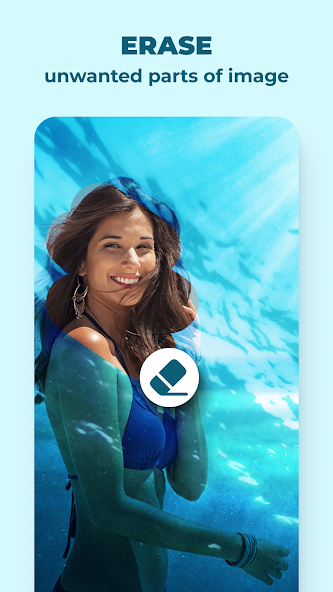
The application is designed to cater to both beginners and advanced users. With an intuitive interface, Blend Photos makes it easy for users to achieve impressive results without requiring extensive knowledge of complex tools like Photoshop. The app includes straightforward controls such as swipe to change background and foreground positions and an eraser tool to remove unwanted image sections, ensuring detailed editing remains accessible and enjoyable.
Practical Applications and Use Cases
Blend Photos serves various practical needs, from crafting eye-catching social media posts to creating professional-grade art pieces. Users can easily share their creative output on platforms like Instagram, Facebook, and Twitter, expanding their digital footprint with artistic flair. The app is a powerful tool for creatives wanting to explore beyond traditional photography, offering endless possibilities for improvisation and design.
Advantages for Android Users
Specifically designed for Android devices, Blend Photos offers a multitude of advantages. The app functions efficiently across a wide range of devices, optimizing the photo blending process for speed and convenience. Its real-time blending preview and multiple photo blending options provide a streamlined editing experience that can significantly enhance the user’s creative workflow.
Conclusion: Elevate Your Photography with Blend Photos
For Android users seeking a powerful yet easy-to-use photo blending tool, Blend Photos delivers with a rich assortment of creative features. Whether you’re an avid photographer, a social media influencer, or someone looking to explore photo art, this application provides the tools necessary to transform ordinary photographs into extraordinary works of art. Discover the seamless integration of images and the joy of creating with Blend Photos by downloading it today. Visit trusted Android APK sources for download links and begin your creative journey.
Apps Information
-
Size
25.36M
-
Language
English
-
Developer
ZipoApps
-
Version
v4.5.13
-
Updated
11 25, 2026
-
Package
com.appxstudio.blenderdoubleexposure
-
Category
Theme Wallpapers
Related Topics
More- Best Tools Apps

11 18, 2026Update
Get the best Android utility apps in 2026. Download free tools for file management, phone cleaning, security, system optimization, and everyday productivity.
-
View
 Automatic Subtitles & Captions
Video & Audio / 70.21MB
-
View
 Movavi Clips
Video & Audio / 71.43MB
-
View
 Artify
System Tools / 17.86MB
-
View
 MultiTimer
System Tools / 9.84MB
-
View
 Video MP3 Converter
Video & Audio / 13.88MB
-
View
Blend Photos
Theme Wallpapers / 25.36MB
Related News
More


You Might Also Like
Change




Latest Games
MoreSimilar Apps
More-
View
 DNotch
12.87M
-
View
 MIUI Theme Editor
138.54M
-
View
 Sticker Maker
20.04M
-
View
 Spheroid
128.32M
-
View
 Folder Widget
21.96M
-
View
 Launcher OS
130.01M
-
View
 Facemoji Keyboard
57.92M
-
View
 MagPic - Photo Editor Pro
23.95M
Featured Topics
More


Popular Apps
More-
View
 Phrasal Verbs
20.49M
-
View
 Manglish Keyboard
67.36M
- View
-
View
Movavi Clips
71.43M
-
View
Artify
17.86M
-
View
MultiTimer
9.84M
-
View
 Speed Test
22.17M
-
View
Video MP3 Converter
13.88M
Question
- Download failed
- Outdated Resources
- Resource Error
- Viral Applications
- Pornography
- Gambling
- Political Unrest
- Fraud
- Infringement
- Other
Description
Tel
Report or Correction