

Movavi Clips
For Android
Screenshot
Apps Introduction
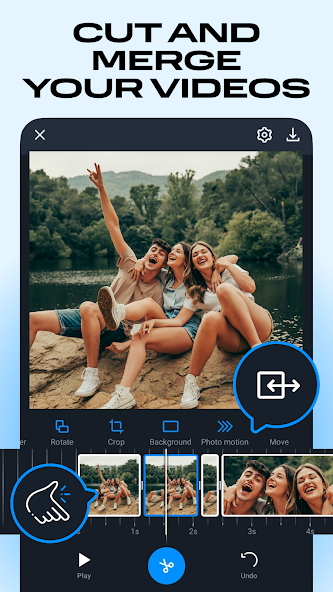
Movavi Clips is a versatile Android application designed for video editing enthusiasts who seek simplicity without sacrificing professionalism. This intuitive video editor provides users with a wide array of tools to create captivating videos and slideshows on their mobile devices. With cutting-edge features such as quick trimming, seamless transitions, and HD export capabilities, Movavi Clips transforms your smartphone or tablet into a portable editing studio. Users can anticipate a smooth, user-friendly experience complemented by powerful editing options suitable for both beginners and seasoned video creators.
Comprehensive Video Editing Tools
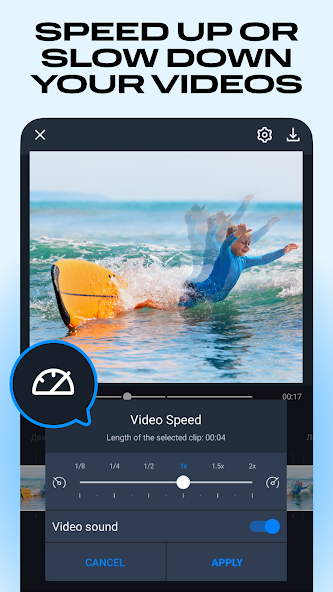
Movavi Clips excels at providing essential video editing features that cater to various editing needs. Users can effortlessly cut unwanted sections from their videos, split and merge clips to tell compelling stories, and apply engaging transitions between scenes. The app also allows for the fine-tuning of visual elements, including adjustment of brightness and saturation, ensuring your videos have the perfect look. In addition, users can enhance their projects with unique color filters, thematic stickers, and custom text to add a personal touch.
Intuitive Interface and User Experience
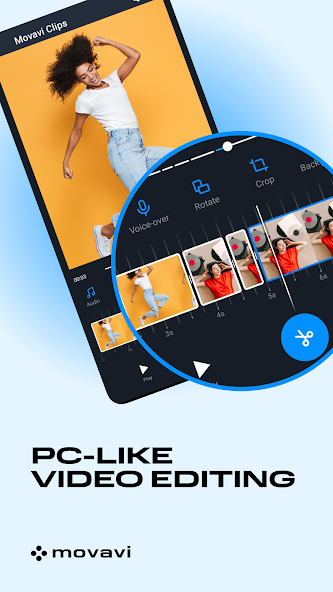
The application’s user-friendly design is perfect for those who prioritize ease of use alongside feature-rich functionality. Movavi Clips simplifies the editing process with a visually interactive timeline, allowing users to edit footage with precision and accuracy. Its intuitive controls and tips are particularly useful for newcomers who might be unfamiliar with video editing software, enabling them to quickly master the art of video creation.
Audio Editing and Customization Options
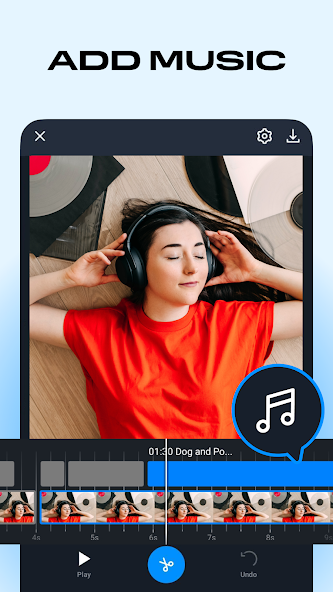
Audio plays an integral role in any video project, and Movavi Clips offers several customization options. Users can overlay music from their library or choose from the built-in collection, adjust music volume, and mute the original sound if required. These features allow creators to set the perfect mood for their videos, while voiceover capability provides the option to add personalized audio commentaries to any project.
Export and Share Your Creations
After perfecting their videos, users can easily preview their work with the app’s built-in player. Movavi Clips supports saving videos directly to the device, making it convenient to store and access your projects anytime. Additionally, the app facilitates seamless sharing to popular social media platforms such as Instagram, Facebook, and YouTube, allowing users to showcase their creations to a broader audience instantly.
The Ultimate Mobile Video Editing Solution
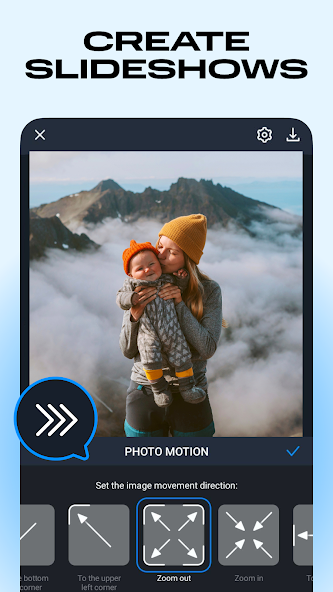
Movavi Clips offers a comprehensive and accessible video editing experience on Android devices. With its robust set of features and intuitive interface, it empowers users to create professional-quality videos and memorable slideshows. Whether you’re an aspiring filmmaker or a social media content creator, Movavi Clips provides the tools necessary to bring your vision to life. For those eager to start their video editing journey on the go, exploring Movavi Clips’ download options on Android can open up a new world of creative possibilities.
Apps Information
-
Size
71.43M
-
Language
English
-
Developer
Movavi
-
Version
v4.22.9
-
Updated
11 25, 2026
-
Package
com.movavi.mobile.movaviclips
-
Category
Video & Audio
Related Topics
More- Best Tools Apps

11 18, 2026Update
Get the best Android utility apps in 2026. Download free tools for file management, phone cleaning, security, system optimization, and everyday productivity.
-
View
 Automatic Subtitles & Captions
Video & Audio / 70.21MB
-
View
Movavi Clips
Video & Audio / 71.43MB
-
View
 Artify
System Tools / 17.86MB
-
View
 MultiTimer
System Tools / 9.84MB
-
View
 Video MP3 Converter
Video & Audio / 13.88MB
-
View
 Blend Photos
Theme Wallpapers / 25.36MB
Related News
More


You Might Also Like
Change






Similar Apps
More- View
-
View
Video MP3 Converter
13.88M
-
View
 Blink Captions by Vozo AI
126.64M
-
View
 Rock Radio
21.59M
-
View
 Vivu Video
53.27M
-
View
 Video Maker Music Video Editor
180.68M
-
View
 Music AI
99.04M
-
View
 Tubio
58.29M
Featured Topics
More


Popular Apps
More-
View
 Phrasal Verbs
20.49M
-
View
 Manglish Keyboard
67.36M
- View
-
View
Movavi Clips
71.43M
-
View
Artify
17.86M
-
View
MultiTimer
9.84M
-
View
 Speed Test
22.17M
-
View
Video MP3 Converter
13.88M
Question
- Download failed
- Outdated Resources
- Resource Error
- Viral Applications
- Pornography
- Gambling
- Political Unrest
- Fraud
- Infringement
- Other
Description
Tel
Report or Correction