

FakeGPS Route
For Android
Screenshot
Apps Introduction
FakeGPS Route is an Android application designed primarily for altering your geographic location on your mobile device. Its main purpose is to enable users to simulate their GPS position, providing extensive opportunities for things like geotagging photos or sharing a virtual location with friends. With the FakeGPS Route, users can enjoy various features such as automated movement, a built-in joystick for navigation, and advanced customizing options, ensuring a robust location-spoofing experience. The app stands out for its versatility and user-friendliness, making it an essential tool for users needing reliable geographic manipulation on their Android devices.
Powerful Location Manipulation Capabilities
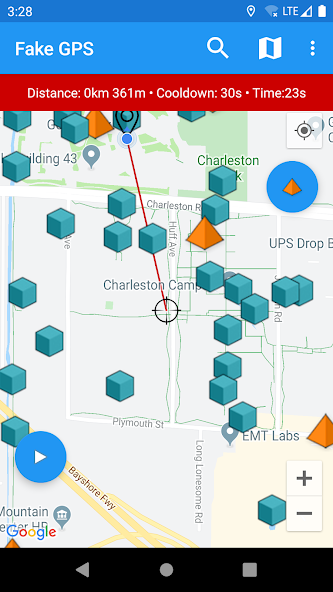
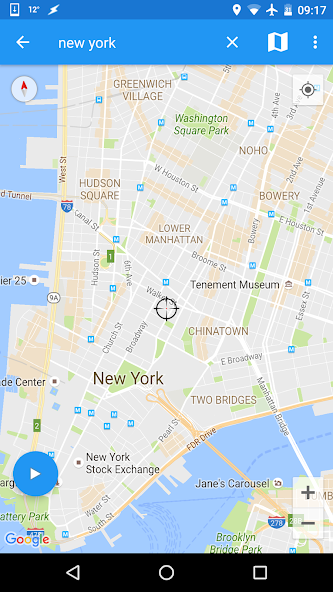
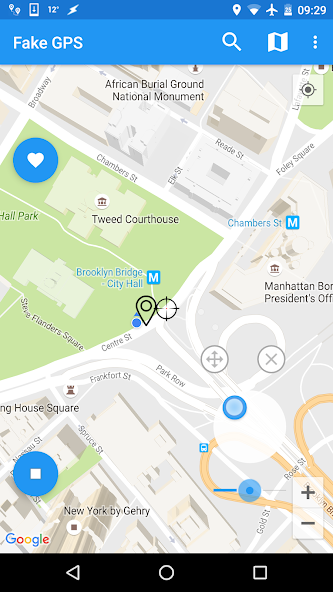
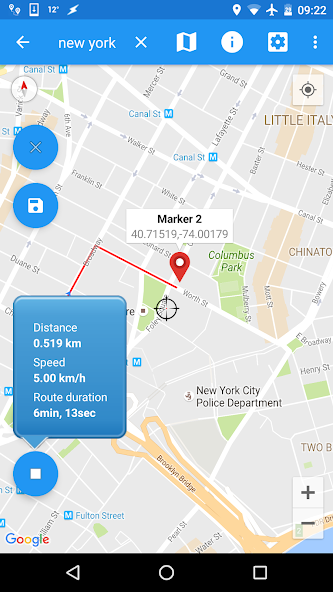
The FakeGPS Route app is equipped with numerous functionalities designed to make location spoofing both efficient and customizable. Users can readily alter their location using a simple map interface, where the crosshair icon starts a new location spoof. For those needing more dynamic functionalities, the app allows for adding waypoints for creating routes, utilizing automated movement within a designated radius, and even adjusting altitudes. The incorporation of a Fake GPS Joystick offers enhanced maneuverability, allowing users to simulate geographic shifts seamlessly. Compatibility with Android 6.0 and above ensures broad accessibility of these features.
Customizable Settings and Expert Modes
FakeGPS Route offers an impressive array of settings to tailor the user experience. With expert and no-root modes, users have the flexibility to choose configurations that best suit their device characteristics and spoofing needs. The app’s settings allow modifications to update intervals, speed, altitude, and accuracy. It supports rooted devices for users who have mock location features disabled and integrates with the Tasker app and ADB shell commands to offer precise control over routes and joystick usage. These customizable elements support better spoofing, making it an advanced tool for users.
User Interface and Integration
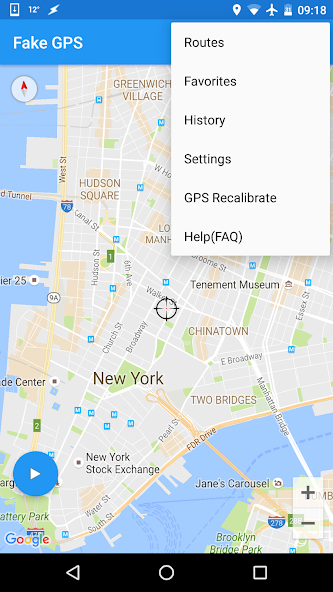
The interface of FakeGPS Route is designed for ease-of-use while retaining sophisticated functionalities. The app displays a map view that users can interact with directly, facilitating quick and intuitive location startups. Permissions such as internet access are required to display maps, and users can save location data on their device for importing and exporting favorites and history. For those needing further assistance, a comprehensive FAQ is available, along with email support for detailed inquiries. The user-friendly design ensures that users can navigate through the app’s features without difficulty.
How to Get Started with FakeGPS Route
To install FakeGPS Route, begin by downloading the APK file from a trusted source like Apkmody. Ensure the "Unknown Sources" option is enabled on your Android device, then proceed to save the file in your Downloads folder. The installation process is straightforward; once the file is installed, users can immediately start using the app. With its service translated into English and German, FakeGPS Route is accessible to a wide array of users, enhancing its applicability and reach.
Conclusion: Unleash Control with FakeGPS Route
For Android users seeking to control and manipulate their GPS location with precision, FakeGPS Route offers a comprehensive solution. Its powerful features, including simulated movement, customizable settings, and an intuitive interface, make it an attractive choice for users requiring location flexibility. Whether for privacy reasons, fun, or utility, FakeGPS Route stands as a versatile tool for those who need to spoof their geographic position with reliability. Interested users can explore its capabilities further by accessing download options via popular Android repositories.
Apps Information
-
Size
2.79M
-
Language
English
-
Developer
JIB Software UG (haftungsbeschränkt)
-
Version
v1.7.1
-
Updated
11 27, 2026
-
Package
com.incorporateapps.fakegps_route
-
Category
Theme Wallpapers
Related News
More


You Might Also Like
Change






Similar Apps
More







Featured Topics
More


Popular Apps
More-
View
 Xmind
24.22M
-
View
FakeGPS Route
2.79M
-
View
 Macrorify
5.77M
-
View
 ArtCollage Pro
43.09M
-
View
 OSDE
68.19M
-
View
 Blurrr
236.66M
-
View
 Hydro Coach PRO
14.27M
-
View
 Vivid N.G.
4.95M
Question
- Download failed
- Outdated Resources
- Resource Error
- Viral Applications
- Pornography
- Gambling
- Political Unrest
- Fraud
- Infringement
- Other
Description
Tel
Report or Correction