
MobiPDF
For Android
Screenshot
Apps Introduction
MobiPDF stands out as an innovative Android application, transforming your mobile device into a powerhouse for handling PDF files. With MobiPDF, you can view, edit, and produce PDFs effortlessly on your smartphone. Its standout features include revolutionary Scan-to-PDF technology that swiftly converts your paper documents into professional-quality PDFs. This dynamic application offers a mobile solution for managing your documents, allowing you to digitize, edit, and share files with ease. Users can expect enhanced productivity as MobiPDF brings comprehensive document management right to their fingertips.
Advanced PDF Editing Tools
MobiPDF revolutionizes PDF editing on smartphones, offering a suite of advanced tools that empower users to manipulate PDFs like never before. You can create blank PDFs tailored to your needs and edit existing documents by adding or removing text, images, signatures, and annotations. The application simplifies the process of transforming PDFs, minimizing the need for typing and data entry. Share editable content seamlessly through email or messaging apps, further enhancing collaborative efficiency.
Seamless Scanning and Digitization
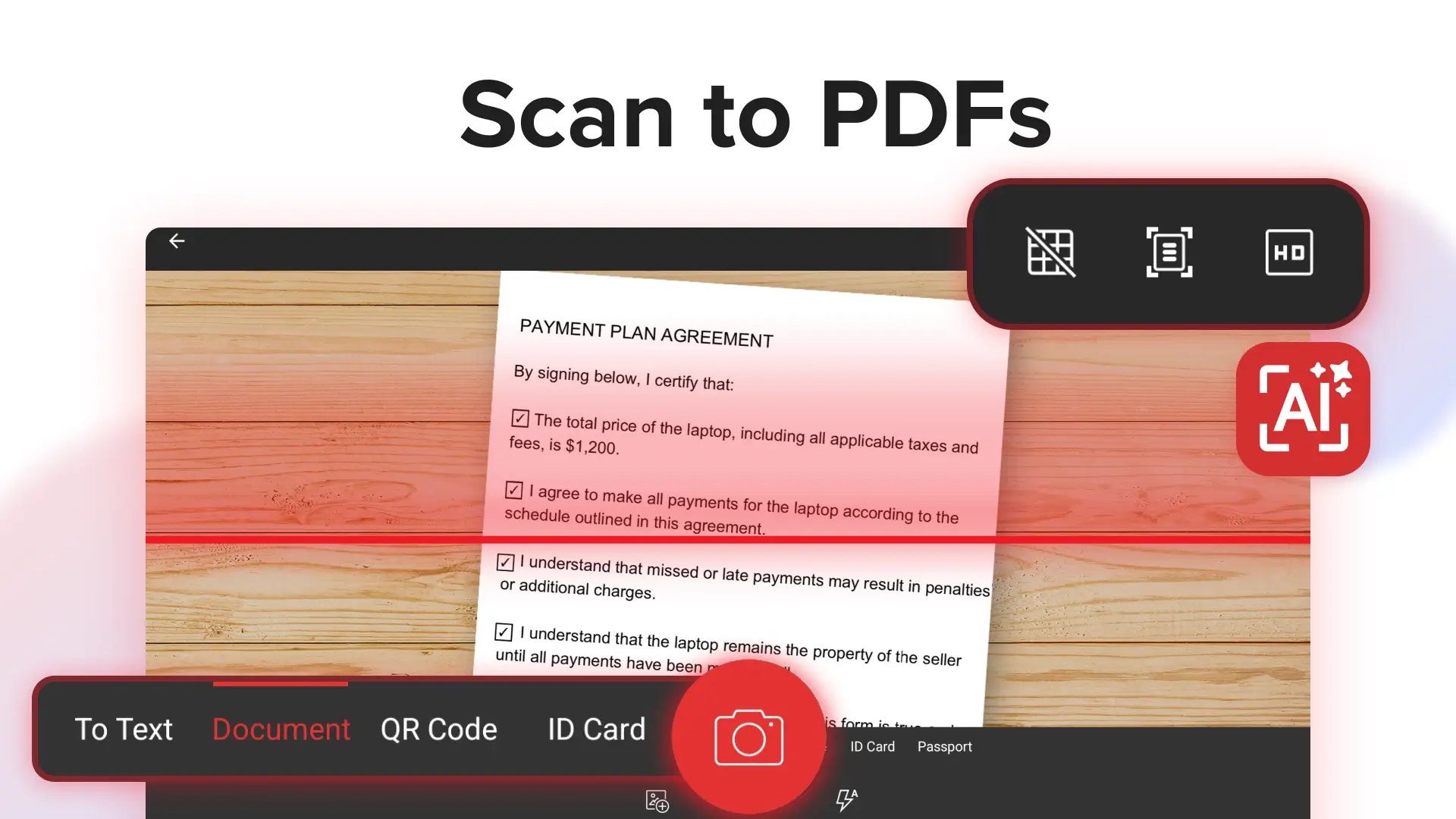
The standout Scan-to-PDF technology within MobiPDF leverages your phone's camera to digitize documents with precision. You can quickly scan and transform paper invoices, contracts, receipts, and personal IDs into high-quality PDFs. Its innovative scanning capabilities ensure that each document is converted with clarity and accuracy, reducing the necessity of carrying physical copies and facilitating streamlined document management.
Effortless PDF Form Customization
MobiPDF's form customization tools introduce unprecedented flexibility when dealing with fillable PDF forms. Users can fill out and sign documents digitally with innovative features that support drawing signatures directly or using saved digital signatures. This functionality eliminates the need for printing and scanning, positioning MobiPDF as a leader in modern document signing and filling practices.
Enhance Productivity with Cloud Storage
Take your document management to the next level with MobiPDF's integration to cloud storage via the MobiDrive platform. Users can benefit from 5GB of free cloud storage, with an upgrade option to PDF Extra Premium for a robust 50GB. This feature not only provides reliable storage options but also facilitates seamless access and sharing of PDFs across devices, ensuring your data is both secure and accessible.
Converting Visual Content with Ease
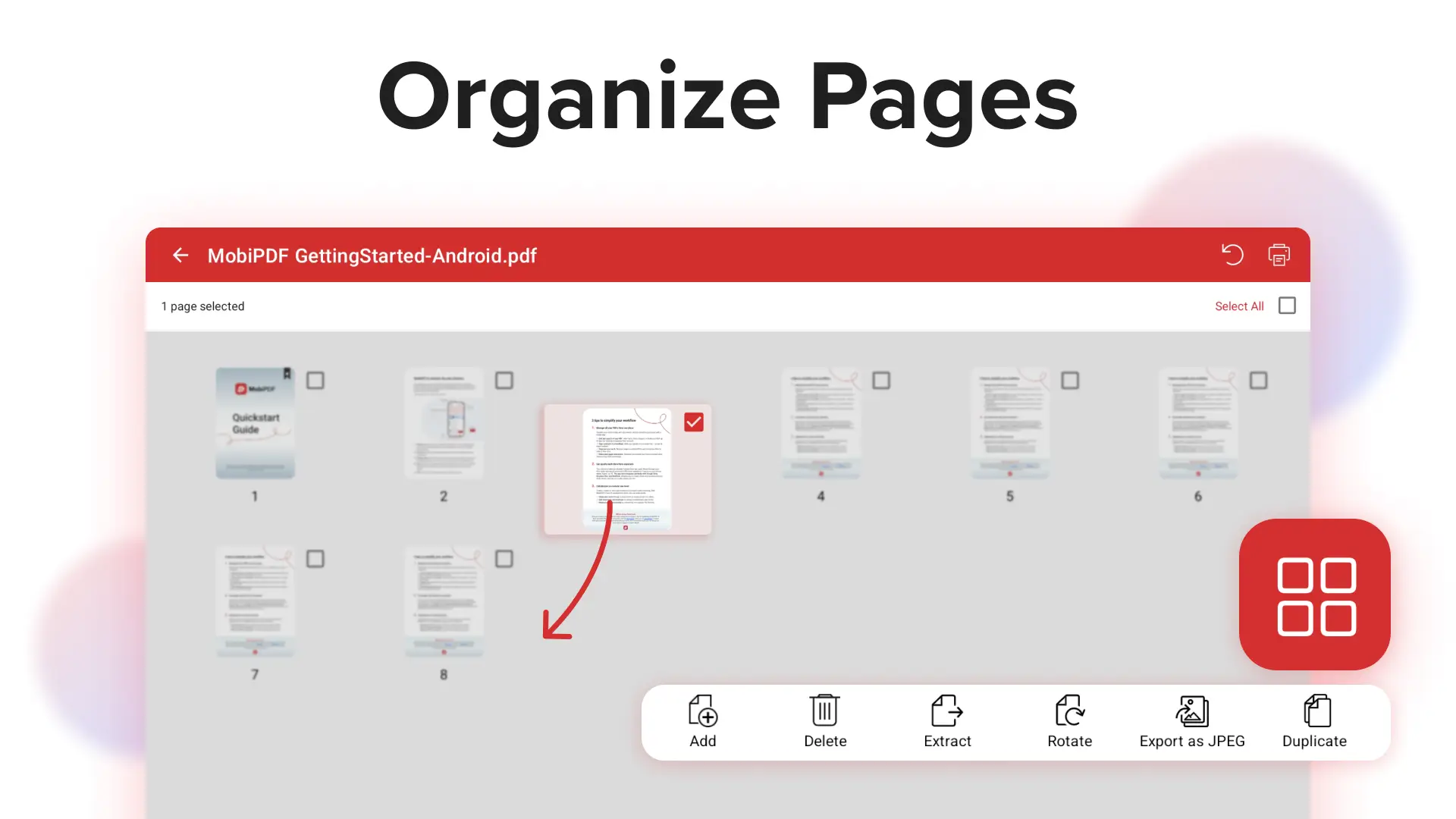
MobiPDF includes a cutting-edge Export to JPEG feature, allowing users to transform PDFs into stunning image files. This capability elevates visual content, making presentations and storytelling more impactful. Whether for professional or personal use, MobiPDF makes it simple to convert documents into breathtaking images, thereby expanding the possibilities for sharing and displaying your content.
Explore the Benefits of MobiPDF
MobiPDF is your gateway to a convenient way of document management on Android devices, offering rich flexibility and capabilities for PDF handling. Whether you need to scan, edit, convert, or store PDFs, this application equips you with the tools required for efficient and modern document management. Discover how MobiPDF can enhance your productivity and streamline your workflows by exploring its download options and integrated tools today.
Apps Information
-
Size
133.32M
-
Language
English
-
Developer
MobiSystems.
-
Version
v11.18.270972
-
Updated
11 21, 2026
-
Package
com.mobisystems.mobiscanner
-
Category
System Tools
Related Topics
More- Best Tools Apps

11 18, 2026Update
Get the best Android utility apps in 2026. Download free tools for file management, phone cleaning, security, system optimization, and everyday productivity.
-
View
 MP3 Recorder
Video & Audio / 5.37MB
-
View
 Tezza
Photo Enhancement / 401.3MB
-
View
 Rap Fame
Video & Audio / 69.83MB
-
View
 Snap Markup
System Tools / 46.42MB
-
View
 Text On Photo
Photo Enhancement / 97.88MB
-
View
 Video Player
System Tools / 13.76MB
Related News
More


You Might Also Like
Change



Latest Games
More-
FViewFile Commander
System Tools / 24.29M
Similar Apps
More-
View
 CountThings
256.39M
-
View
Snap Markup
46.42M
-
View
 ColorFulCalc
11.58M
-
View
Video Player
13.76M
-
View
 Mirroring
2.41M
-
View
 Better File Cleaner
21.72M
-
View
 Duplicate Remover
31.66M
-
View
 Timy Alarm Clock
11.91M
Featured Topics
More


Popular Apps
More-
View
MP3 Recorder
5.37M
-
View
 Yoga
46.31M
-
View
CountThings
256.39M
-
View
Tezza
401.30M
-
View
Rap Fame
69.83M
-
View
Snap Markup
46.42M
-
View
 NetBoom
51.42M
-
View
Text On Photo
97.88M
Question
- Download failed
- Outdated Resources
- Resource Error
- Viral Applications
- Pornography
- Gambling
- Political Unrest
- Fraud
- Infringement
- Other
Description
Tel
Report or Correction