

Greenify
For Android
Screenshot
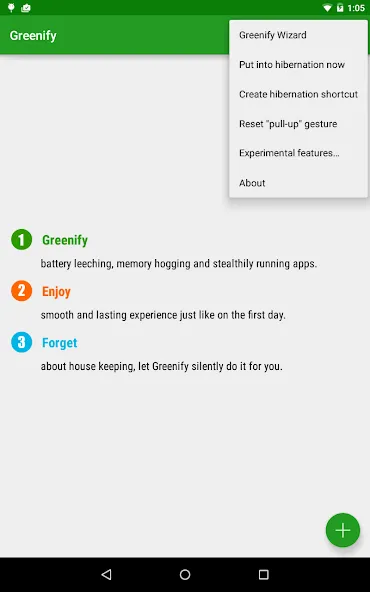
Apps Introduction
In the vast ecosystem of Android applications, Greenify stands out as a powerful tool for optimizing device performance. Greenify is an Android application designed to help users manage their apps more effectively by putting unused apps into hibernation mode. The main draw of Greenify is its ability to help extend battery life and maintain the device’s speed over time. Android users looking to streamline their device usage may find Greenify indispensable in ensuring their phone or tablet continues to perform efficiently.
Optimize Battery Usage
Greenify offers features like "Aggressive Doze" and "Doze on the Go" to maximize battery conservation. These options are especially effective on Android 6.0 and newer versions, even without root access, making it accessible to a wide range of users. By strategically hibernating apps, users can prevent unnecessary battery drain, ensuring that devices last longer throughout the day. This is particularly useful for power users who run multiple apps simultaneously.
Enhance Device Performance
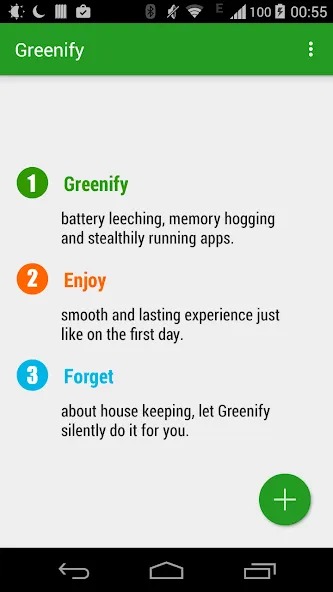
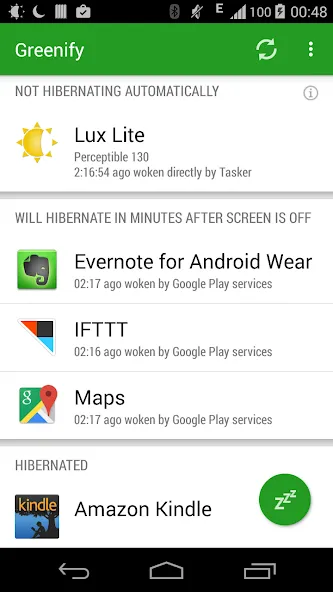
One of Greenify's key capabilities is maintaining the smooth operation of devices by preventing apps from running in the background and consuming resources. When apps are greenified, they cease to consume power or data unless explicitly activated, effectively making the device operate similarly to its condition upon initial setup. This significantly enhances both speed and responsiveness, offering users a seamless experience without frequent lags.
User-Friendly Interface and Experience
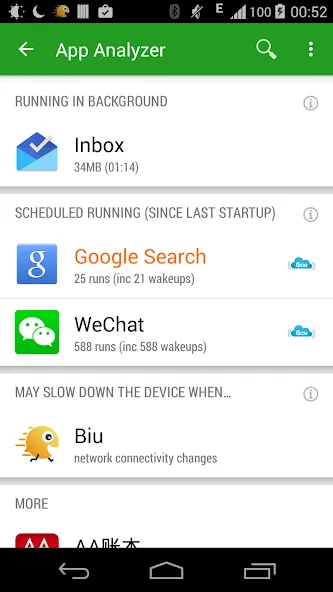
Greenify is designed with an intuitive interface that allows users to easily navigate through its features. Users can quickly view and manage apps, deciding which ones to put into hibernation as needed. Despite its robust functionality, Greenify operates quietly in the background, requiring minimal input from the user once it’s set up, thus offering a hassle-free experience.
Security and Permissions
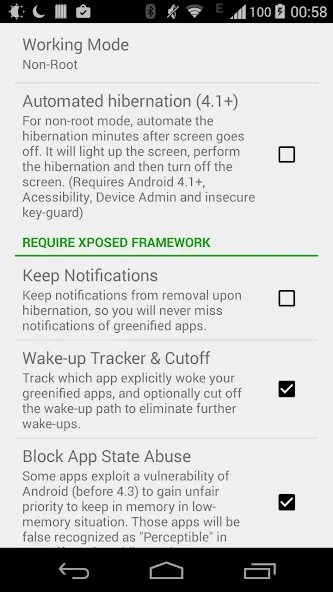
Concerns with app permissions and privacy are addressed as Greenify requires only essential permissions to perform automatic hibernation. It does not collect personal data, despite accessing certain device capabilities like the accessibility service. Moreover, the use of administrative privileges is explicitly requested and only executed with user consent, ensuring a secure experience.
Conclusion
Ideal for users looking to improve their device's performance, Greenify provides essential tools to keep apps from draining battery and resources. By offering features that cater to both rooted and non-rooted devices, it broadens its audience while maintaining a user-friendly approach. Enthusiastic Android users wanting to download and utilize these capabilities can explore the latest Greenify APK to ensure their devices stay lively and responsive.
Apps Information
-
Size
5.73M
-
Language
English
-
Developer
Oasis Feng
-
Version
v5.1.1
-
Updated
11 21, 2026
-
Package
com.oasisfeng.greenify
-
Category
System Tools
Related Topics
More- Best Tools Apps

11 18, 2026Update
Get the best Android utility apps in 2026. Download free tools for file management, phone cleaning, security, system optimization, and everyday productivity.
-
View
 MP3 Recorder
Video & Audio / 5.37MB
-
View
 Tezza
Photo Enhancement / 401.3MB
-
View
 Rap Fame
Video & Audio / 69.83MB
-
View
 Snap Markup
System Tools / 46.42MB
-
View
 Text On Photo
Photo Enhancement / 97.88MB
-
View
 Video Player
System Tools / 13.76MB
Related News
More


You Might Also Like
Change






Similar Apps
More-
View
 CountThings
256.39M
-
View
Snap Markup
46.42M
-
View
 ColorFulCalc
11.58M
-
View
Video Player
13.76M
-
View
 Mirroring
2.41M
-
View
 Better File Cleaner
21.72M
-
View
 Duplicate Remover
31.66M
-
View
 Timy Alarm Clock
11.91M
Featured Topics
More


Popular Apps
More-
View
MP3 Recorder
5.37M
-
View
 Yoga
46.31M
-
View
CountThings
256.39M
-
View
Tezza
401.30M
-
View
Rap Fame
69.83M
-
View
Snap Markup
46.42M
-
View
 NetBoom
51.42M
-
View
Text On Photo
97.88M
Question
- Download failed
- Outdated Resources
- Resource Error
- Viral Applications
- Pornography
- Gambling
- Political Unrest
- Fraud
- Infringement
- Other
Description
Tel
Report or Correction