

WO Mic
For Android
Screenshot
Apps Introduction
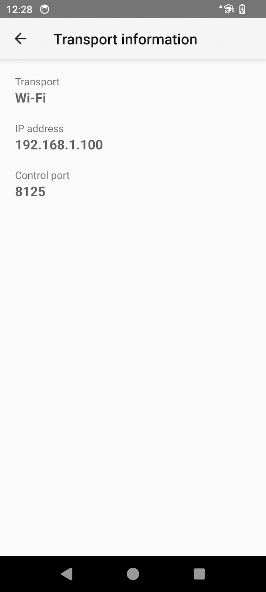
WO Mic transforms your Android device into a wireless microphone for your computer, which is especially useful for those looking to enhance voice chatting, recording, or recognition experiences without purchasing additional hardware. By offering multiple connection options – Bluetooth, USB, or Wi-Fi – WO Mic ensures seamless integration between your smartphone and PC. As an Android application, it proposes a cost-effective solution with minimal latency that mirrors the performance of standard microphone devices. This convenience and versatility make WO Mic an appealing choice for Android users who seek efficient and flexible audio input solutions.
Key Features of WO Mic
WO Mic stands out with its innovative use of Android smartphones as a microphone, saving both money and the hassle of acquiring separate audio equipment.
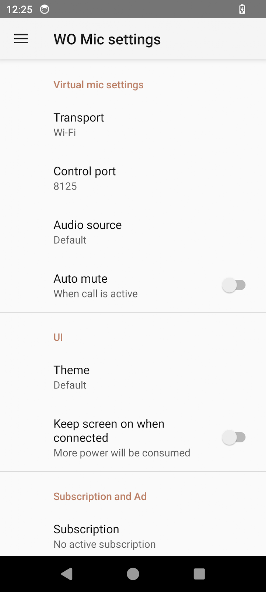
- Wireless Connectivity: Choose from Bluetooth, USB, or Wi-Fi connections for uninterrupted audio transmission. This ensures that the app can adapt to various technological setups and preferences.
- Low Latency: The app boasts minimal latency, delivering real-time audio comparable to traditional microphones, enhancing user experience in both professional and casual settings.
- Versatile Usage: Perfect for voice chatting, recording, and voice recognition, WO Mic caters to a diverse range of applications, whether for work or play.
Practical Applications for Android Users
WO Mic is not just an app but a handy tool for a multitude of scenarios. For gamers, it provides a seamless voice chat experience without the need for an expensive headset. Podcasters and content creators can use it for recording sessions, while professionals may find the voice recognition feature pivotal for transcription and virtual meetings. The flexibility of connection methods also means greater ease for users who may face different environmental constraints.
User Experience and Interface
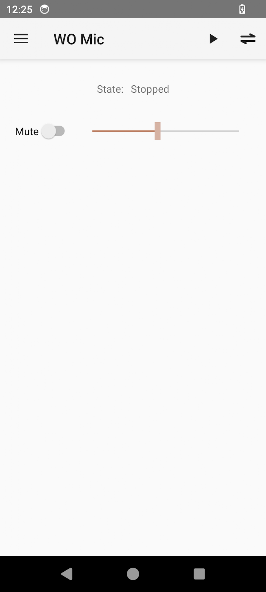
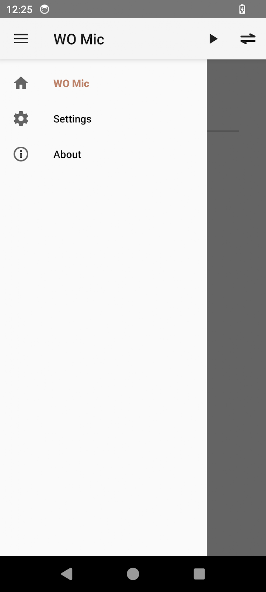
The app delivers a straightforward interface, making it user-friendly for individuals of all tech backgrounds. Setting up involves simple steps that require no extensive technical know-how. Users can have WO Mic operational in seconds, thanks to a clean layout and intuitive design. Furthermore, excellent support from their FAQ and customer service ensures that any issues encountered are promptly addressed.
Compatibility and Requirements
WO Mic is compatible with Android devices, and users will need to install a Windows client and corresponding drivers to facilitate the connection. The connections via Bluetooth, USB, or Wi-Fi ensure that regardless of your current PC setup, you can enjoy full functionality. The easy-to-follow setup ensures that even those less familiar with technical installations will appreciate the process.
Explore WO Mic Today
WO Mic presents an innovative and practical solution for anyone needing a microphone without the traditional hardware burden. Ideal for gamers, professionals, and creatives alike, its ability to connect via various methods offers flexibility and convenience. The minimal latency and simple user interface make it accessible for all users, providing an unrivaled mobile-PC integrated audio experience. Those interested can download WO Mic via trusted sources like APKMody to explore its wide range of applications fully.
Apps Information
-
Size
5.89M
-
Language
English
-
Developer
Wolicheng Tech
-
Version
v5.9
-
Updated
11 24, 2026
-
Package
com.wo.voice2
-
Category
System Tools
Related News
More


You Might Also Like
Change





Similar Apps
More-
View
 Wireless Earphones
26.71M
-
View
 Speed Check
7.62M
-
View
 Recepciones
41.71M
-
View
 AVG Cleaner
70.72M
-
View
 MobiSaver
37.11M
-
View
 Alarm Clock
9.01M
-
View
 Dual Space Pro
45.57M
-
View
 B2C SFA
95.25M
Featured Topics
More


Popular Apps
More-
View
Wireless Earphones
26.71M
-
View
 La Matinale
24.97M
-
View
Speed Check
7.62M
-
View
 MyGirl AI Girlfriend
24.62M
-
View
 Apk Editor Pro
61.92M
-
View
 Fandango
35.41M
-
View
Recepciones
41.71M
-
View
 Miga Town My TV Shows
78.06M
Question
- Download failed
- Outdated Resources
- Resource Error
- Viral Applications
- Pornography
- Gambling
- Political Unrest
- Fraud
- Infringement
- Other
Description
Tel
Report or Correction