

Speed Check
For Android
Screenshot
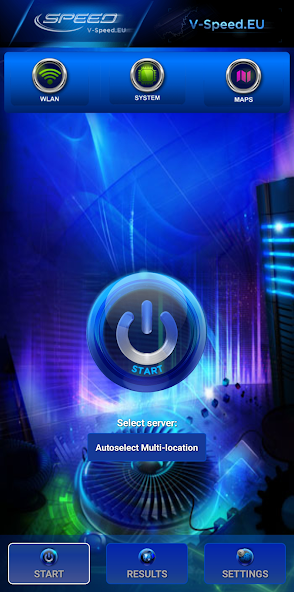
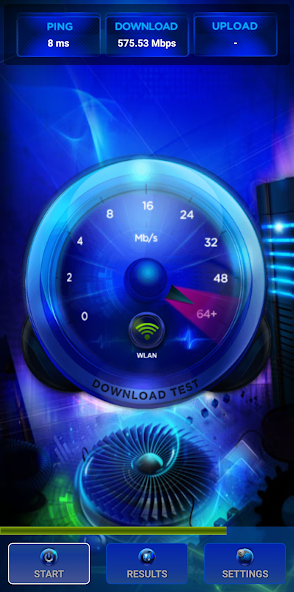
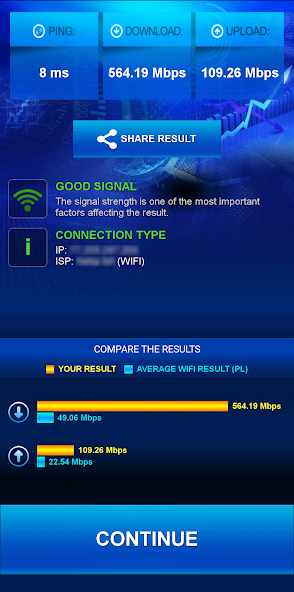
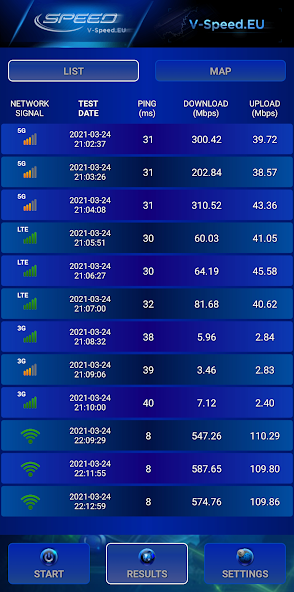
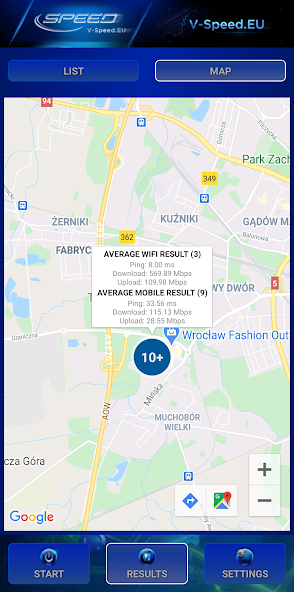
Apps Introduction
Speed Check is a comprehensive Android application designed to offer users an accurate measurement of their internet connection speed. This app provides a suite of tools to evaluate WiFi and mobile network performance, making it a valuable asset for users who require precise internet speed metrics. Its main purpose is to empower Android users with detailed insights into their connectivity, which is especially beneficial for optimizing online activities and troubleshooting network issues. With its advanced features and intuitive interface, Speed Check is an essential app that appeals to both casual users and tech enthusiasts.
Main Features and Functions
Speed Check offers a modern and user-friendly interface, complemented by robust functionalities to enhance the internet testing experience. Key features include:
- WiFi and mobile signal locator tools, which help users find optimal network coverage areas.
- A built-in mobile network coverage map, providing visual data on network availability.
- Customizable speed test servers, allowing precision in measuring connection quality.
- Downlink and uplink speed testing, showing download and upload rates effectively.
- - Measurement of data transfer latency, including ping values, for complete network performance assessment.
- - Automatic selection of speed testing parameters based on connection type such as WiFi, 3G, 4G LTE, and 5G.
- - Comprehensive connection information display, including IP address and network details, which aids in understanding network setups.
- - A historical log feature that saves test results, which can be filtered and sorted for analysis over time.
Interface and User Experience
Speed Check's interface is designed with a focus on clarity and ease of use, providing users with straightforward access to all the app's functions. The visually engaging layout presents test results in a clear and accessible manner, ensuring even less tech-savvy users can easily interpret their internet speed diagnostics. Additionally, the app supports rapid copying of IP address and test outcomes to the clipboard for easy sharing or record-keeping.
Practical Applications
This application is particularly beneficial for users who frequently troubleshoot their internet connections or require optimal network performance for activities such as streaming, gaming, or remote work. By understanding their connection’s capabilities, users can make informed decisions about potential upgrades or adjustments to their network settings. The ability to share results on social platforms also helps in discussing network performance issues easily.
Advantages and Limitations
Speed Check’s advantages lie in its comprehensive testing capabilities and intuitive design, catering to both novices and experienced users. Its multifaceted testing ensures users receive a full picture of their internet performance. However, the app's advanced features might be underutilized by users whose interests do not extend beyond basic speed checks.
Explore Speed Check on Android
In summary, Speed Check equips Android users with the necessary tools to monitor and enhance their internet connectivity efficiently. The app’s multifarious capabilities make it a valuable tool for anyone needing precise performance metrics of their internet connection. Whether you're a casual user looking to improve your connection stability or a tech-savvy individual interested in detailed network insights, Speed Check is worth exploring. For those eager to evaluate and optimize their network performance, complete download details are available through Android app sources.
Apps Information
-
Size
7.62M
-
Language
English
-
Developer
V-SPEED.eu
-
Version
v4.4.3.0
-
Updated
11 24, 2026
-
Package
pl.speedtest.android
-
Category
System Tools
Related Topics
More- Best Tools Apps

11 18, 2026Update
Get the best Android utility apps in 2026. Download free tools for file management, phone cleaning, security, system optimization, and everyday productivity.
-
View
Speed Check
System Tools / 7.62MB
-
View
 Apk Editor Pro
Work & Study / 61.92MB
-
View
 Miga Town My TV Shows
Work & Study / 78.06MB
-
View
 AVG Cleaner
System Tools / 70.72MB
-
View
 Forma Healthy
Lifestyle Services / 55.7MB
-
View
 AutoResponder for SGNL
Social Chat / 15.59MB
Related News
More


You Might Also Like
Change





Similar Apps
More-
View
 Wireless Earphones
26.71M
-
View
 Recepciones
41.71M
-
View
AVG Cleaner
70.72M
-
View
 MobiSaver
37.11M
-
View
 Alarm Clock
9.01M
-
View
 Dual Space Pro
45.57M
-
View
 B2C SFA
95.25M
-
View
 3X VPN
47.23M
Featured Topics
More


Popular Apps
More-
View
Wireless Earphones
26.71M
-
View
 La Matinale
24.97M
-
View
Speed Check
7.62M
-
View
 MyGirl AI Girlfriend
24.62M
-
View
Apk Editor Pro
61.92M
-
View
 Fandango
35.41M
-
View
Recepciones
41.71M
-
View
Miga Town My TV Shows
78.06M
Question
- Download failed
- Outdated Resources
- Resource Error
- Viral Applications
- Pornography
- Gambling
- Political Unrest
- Fraud
- Infringement
- Other
Description
Tel
Report or Correction