

Wireless Earphones
For Android
Screenshot
Apps Introduction
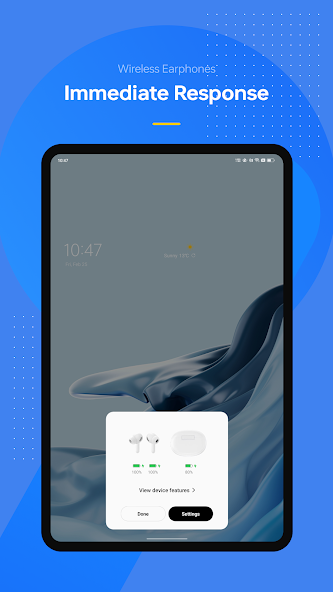
The "Wireless Earphones" application is a system utility specifically designed to manage OPPO and OnePlus earphones on Android devices. This application serves to provide users with detailed insights and customizable options for their earphones. With "Wireless Earphones," users can expect a robust set of features, including real-time battery status for both the earphones and the charging case, sound adjustments, gesture customization, and firmware OTA updates. It is a comprehensive tool for users seeking to optimize their listening experience.
Manage Your Earphones Effortlessly
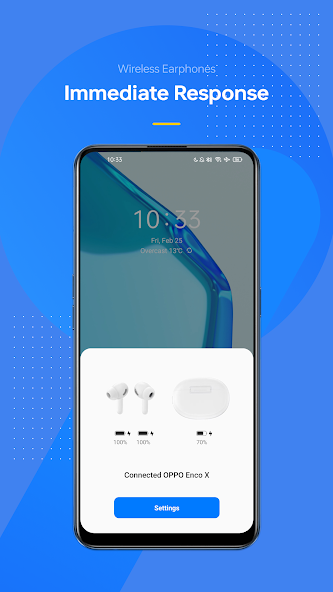
The primary function of "Wireless Earphones" is to help users manage their OPPO and OnePlus earphones seamlessly. Once the earphones are connected, the app provides real-time updates on the battery status of each earbud and the charging case. This ensures users are always aware of their battery levels, allowing for timely recharging and uninterrupted listening.
Sound Adjustment and Customization
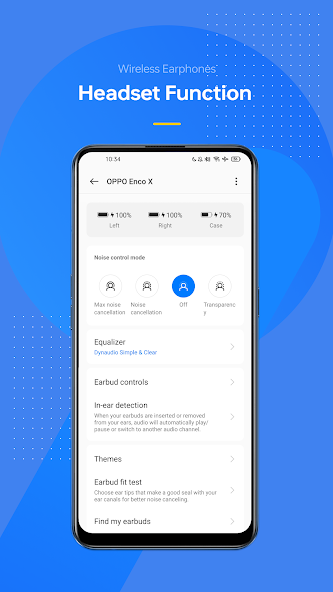
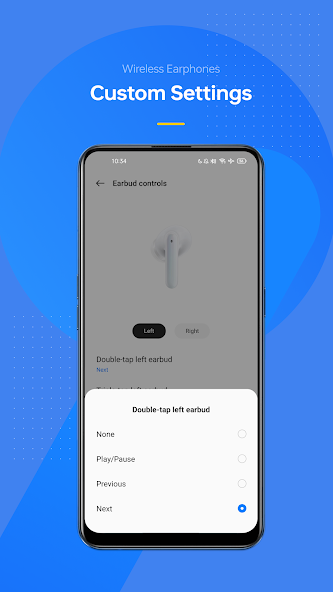
One of the standout features of "Wireless Earphones" is the ability to adjust sound settings to suit personal preferences. Users can fine-tune audio outputs, ensuring the best possible sound quality. Additionally, the app supports gesture customization, enabling users to personalize their interaction with the earphones through configurable touch commands.
Firmware Updates Made Simple
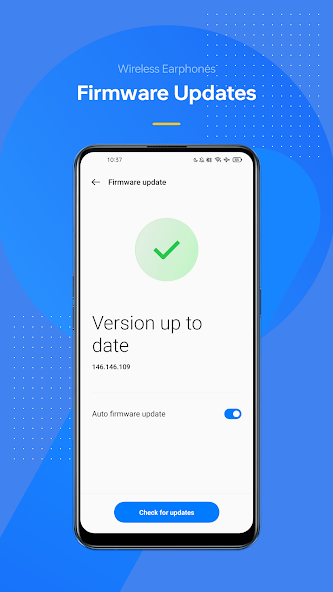
The application includes capabilities for Over-The-Air (OTA) firmware updates, which help in keeping the earphones' software up-to-date with the latest features and improvements. This functionality ensures that users can easily benefit from enhanced performance and new capabilities as they become available.
Simple Setup Process
To make use of the "Wireless Earphones" application, users must pair their earphones with their phone. The application cannot be opened directly; instead, users should tap "Settings" when prompted in the pop-up window after pairing. Alternatively, access can be gained through the phone's Bluetooth settings by selecting the earphone name and entering the earphone function list.
Easy Installation and Compatibility
For those looking to download the app, visiting sites like Apkmody allows users to access Wireless Earphones APK with ease. The application is compatible with OPPO and OnePlus devices, ensuring a tailored experience for users of these brands. By enabling the "unknown sources" option in their Android settings, users can install the app quickly and start exploring its features.
Optimize Your Audio Experience
"Wireless Earphones" stands out as a must-have application for OPPO and OnePlus users who wish to get the most out of their earphones. Its blend of innovative features and practical functions provides a superior management tool that's designed to enhance everyday usage. Interested users can download the application from trusted providers like Apkmody to begin optimizing their audio experience today.
Apps Information
-
Size
26.71M
-
Language
English
-
Developer
ColorOS
-
Version
v17.6.6
-
Updated
11 24, 2026
-
Package
com.oplus.melody
-
Category
System Tools
Related News
More


You Might Also Like
Change




Similar Apps
More-
View
 Speed Check
7.62M
-
View
 Recepciones
41.71M
-
View
 AVG Cleaner
70.72M
-
View
 MobiSaver
37.11M
-
View
 Alarm Clock
9.01M
-
View
 Dual Space Pro
45.57M
-
View
 B2C SFA
95.25M
-
View
 3X VPN
47.23M
Featured Topics
More


Popular Apps
More-
View
Wireless Earphones
26.71M
-
View
 La Matinale
24.97M
-
View
Speed Check
7.62M
-
View
 MyGirl AI Girlfriend
24.62M
-
View
 Apk Editor Pro
61.92M
-
View
 Fandango
35.41M
-
View
Recepciones
41.71M
-
View
 Miga Town My TV Shows
78.06M
Question
- Download failed
- Outdated Resources
- Resource Error
- Viral Applications
- Pornography
- Gambling
- Political Unrest
- Fraud
- Infringement
- Other
Description
Tel
Report or Correction