
CalcES
For Android
Screenshot
Apps Introduction
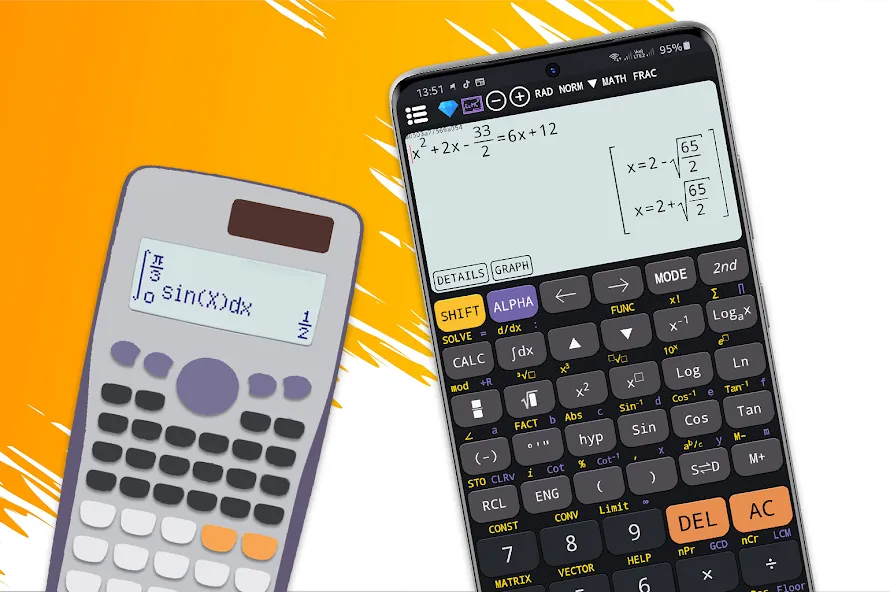
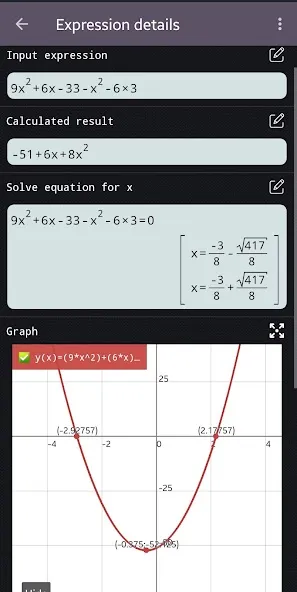
CalcES is a feature-rich Android application designed for users in need of advanced scientific calculator functionality. Perfect for students and engineers, CalcES provides high-precision tools to simulate the operation of physical scientific calculators like the 991 Plus, 115, and 300 Plus. Users can expect a seamless and focused calculating experience with no ads to disrupt their workflow. The application offers a wide range of mathematical operations, making it suitable for handling complex matrix calculations, calculus, and equation solving directly on mobile devices.
Advanced Calculation Features
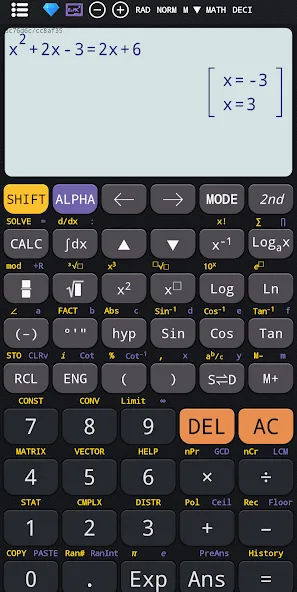
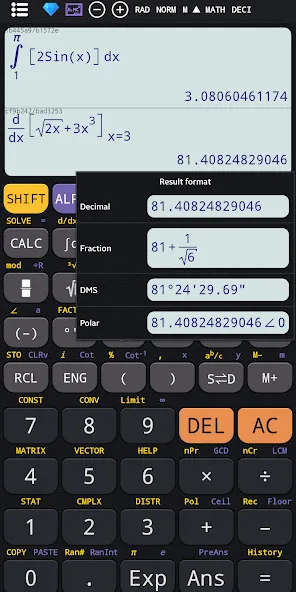
CalcES stands out by offering an extensive set of high-level mathematical functionalities, opening up a world of possibilities for those who seek precise results. Users can take advantage of the application’s capabilities to perform integration, derivatives, matrix calculations, and vector operations with ease. The comprehensive equation solver supports quadratic, cubic, and polynomial equations, providing solutions in both real and complex roots.
Simulation of Physical Calculators
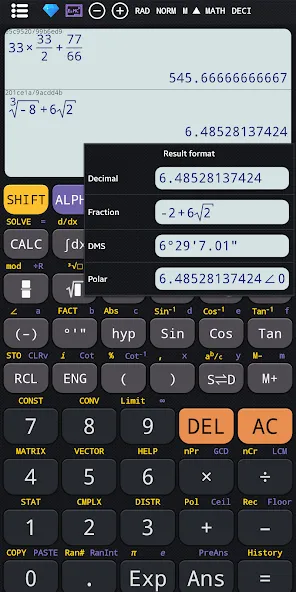
One of the most prominent features of CalcES is its ability to accurately simulate the interface and operation of renowned scientific calculators, including the 991 Plus, 115, and 300 Plus models. This ensures that users experience a familiar calculator layout, facilitating ease of use and efficient problem-solving.
User Experience and Interface
CalcES is designed with user convenience in mind, featuring a straightforward and unobstructed user interface. The natural display feature enhances readability by presenting mathematical expressions and fractions just as they appear in textbooks. Moreover, the app automatically saves calculation history, enabling users to easily revisit and modify previous calculations without re-entry.
Customization and Performance
The application offers a range of customization options, allowing users to adjust themes and interface settings to suit different lighting conditions and personal preferences. Performance-wise, CalcES is optimized for both portrait and landscape orientations and provides a quick switch menu to toggle between different calculator models efficiently.
Privacy and Offline Use
CalcES is a dedicated offline application, meaning it processes all calculations locally without the need for an internet connection. This ensures that users’ data remains private, making it an ideal tool for environments where internet access is restricted, such as exams or classrooms. Additionally, the app does not involve any tracking or telemetry services, guaranteeing maximum privacy for users.
Conclusion: Why Choose CalcES?
Designed as a standalone app requiring no external dependencies, CalcES is a top-tier choice for engineering students preparing for exams, mathematics enthusiasts fond of traditional calculator interfaces, and privacy-conscious users. Although the app doesn’t offer the cloud connectivity or modern graphics of contemporary apps, its comprehensive suite of features and reliable offline functionality make it a valuable tool for anyone needing a robust scientific calculator. Users interested in exploring its capabilities can download the CalcES APK for Android devices to begin experiencing its full potential.
Apps Information
-
Size
56.76M
-
Language
English
-
Developer
Tools for student
-
Version
v7.7.3.366
-
Updated
11 24, 2026
-
Package
advanced.scientific.calculator.calc991.plus
-
Category
Work & Study
Related Topics
More- Best Tools Apps

11 18, 2026Update
Get the best Android utility apps in 2026. Download free tools for file management, phone cleaning, security, system optimization, and everyday productivity.
-
View
 Speed Check
System Tools / 7.62MB
-
View
 Apk Editor Pro
Work & Study / 61.92MB
-
View
 Miga Town My TV Shows
Work & Study / 78.06MB
-
View
 AVG Cleaner
System Tools / 70.72MB
-
View
 Forma Healthy
Lifestyle Services / 55.7MB
-
View
 AutoResponder for SGNL
Social Chat / 15.59MB
Related News
More


You Might Also Like
Change






Similar Apps
More-
View
Apk Editor Pro
61.92M
-
View
Miga Town My TV Shows
78.06M
-
View
 Maple Bear App
79.17M
-
View
 Promova
42.55M
-
View
 AI Art Generator
95.76M
-
View
 Miga Pets
83.65M
-
View
 Epic
42.72M
-
View
 UMiami
168.16M
Featured Topics
More


Popular Apps
More-
View
 Wireless Earphones
26.71M
-
View
 La Matinale
24.97M
-
View
Speed Check
7.62M
-
View
 MyGirl AI Girlfriend
24.62M
-
View
Apk Editor Pro
61.92M
-
View
 Fandango
35.41M
-
View
 Recepciones
41.71M
-
View
Miga Town My TV Shows
78.06M
Question
- Download failed
- Outdated Resources
- Resource Error
- Viral Applications
- Pornography
- Gambling
- Political Unrest
- Fraud
- Infringement
- Other
Description
Tel
Report or Correction