
Motion Ninja
For Android
Screenshot
Apps Introduction
Motion Ninja is a versatile Android application designed for video editing enthusiasts. As a powerful tool, it allows users to create stunning videos by modifying and enhancing their clips with numerous editing options. With its user-friendly interface, Motion Ninja caters to users of all ages, providing a wide range of features, including slow motion effects, text animations, and customizable visual effects. Whether you're a beginner or a seasoned editor, Motion Ninja offers the tools you need to transform your creative vision into a reality.
Comprehensive Video Editing Features
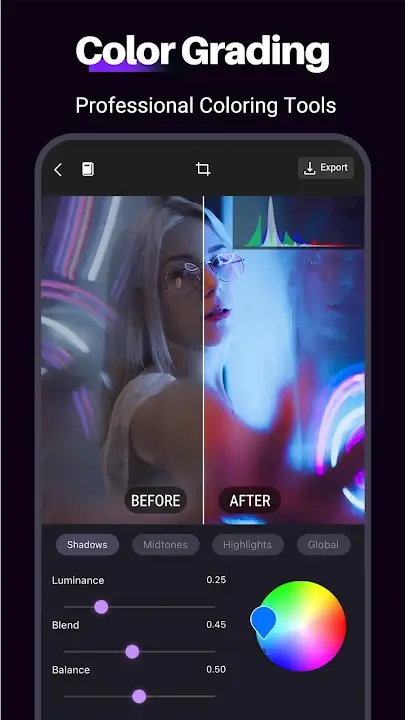
Motion Ninja provides an expansive array of editing features to ensure your videos are nothing short of spectacular. Users can explore the app's extensive library of visual effects, such as VHS, blur, and multi-film filters, to give their videos a unique touch. The app's editing and animation capabilities allow users to customize their video clips with segmented formats like cube split and neon box effects, enabling the creation of dynamic visuals that capture attention.
Text Animation and Character Integration
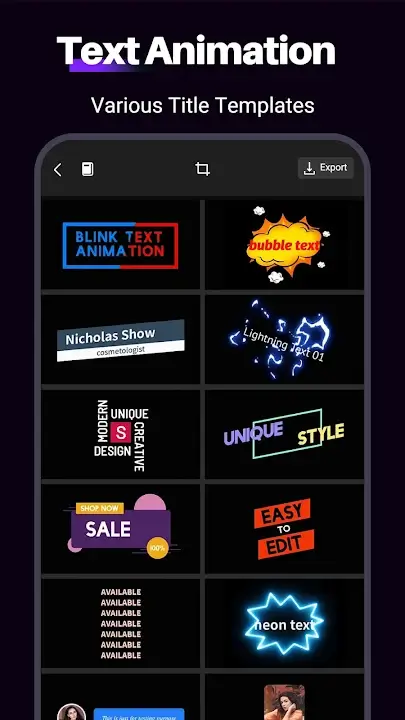
Enhancing videos with animated text is a breeze with Motion Ninja. The app includes a plethora of character styles, from animal motifs to playful toy themes, allowing you to add text that suits the narrative of your video. This feature is perfect for storytelling, making your content both engaging and insightful, contributing to a more immersive viewing experience.
Speed Adjustment and Background Customization
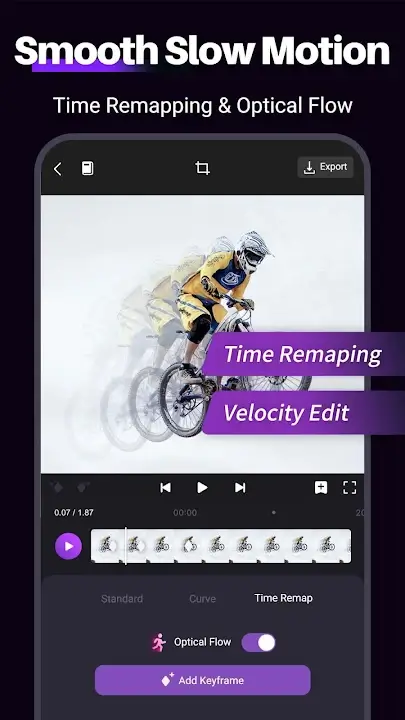
Motion Ninja empowers users to alter video speeds effortlessly, using features like the speed curve capability. This allows for creative transitions such as jump cuts and montages, enhancing the storytelling aspect of your video. Additionally, users can modify backgrounds, incorporating natural scenes or decorative elements like statues or carts, granting them full control over the visual representation of their projects.
High-Quality Output with Advanced Graphics
For those seeking quality in their projects, Motion Ninja supports 2D and 3D animations and offers resolutions of 720p, 1080p, and even 4K. This ensures that users can produce high-definition content that meets professional standards. The app's ability to incorporate animated scenes both within and outside your photos adds depth and creativity to video outputs.
Unlock Your Creativity with Motion Ninja
Motion Ninja stands out as an essential tool for anyone interested in video editing on Android devices. Its robust feature set, coupled with an intuitive interface, makes it an attractive choice for beginners and professionals alike. With capabilities ranging from speed modulation to text animations, the application offers everything needed to craft compelling videos. Explore Motion Ninja's features today and elevate your video editing skills to new heights by downloading it from the Google Play Store.
Apps Information
-
Size
115.51M
-
Language
English
-
Developer
changpeng.
-
Version
v4.1.8
-
Updated
11 24, 2026
-
Package
com.accarunit.motionvideoeditor
-
Category
System Tools
Related Topics
More- Best Tools Apps

11 18, 2026Update
Get the best Android utility apps in 2026. Download free tools for file management, phone cleaning, security, system optimization, and everyday productivity.
-
View
 Speed Check
System Tools / 7.62MB
-
View
 Apk Editor Pro
Work & Study / 61.92MB
-
View
 Miga Town My TV Shows
Work & Study / 78.06MB
-
View
 AVG Cleaner
System Tools / 70.72MB
-
View
 Forma Healthy
Lifestyle Services / 55.7MB
-
View
 AutoResponder for SGNL
Social Chat / 15.59MB
Related News
More


You Might Also Like
Change





Similar Apps
More-
View
 Wireless Earphones
26.71M
-
View
Speed Check
7.62M
-
View
 Recepciones
41.71M
-
View
AVG Cleaner
70.72M
-
View
 MobiSaver
37.11M
-
View
 Alarm Clock
9.01M
-
View
 Dual Space Pro
45.57M
-
View
 B2C SFA
95.25M
Featured Topics
More


Popular Apps
More-
View
Wireless Earphones
26.71M
-
View
 La Matinale
24.97M
-
View
Speed Check
7.62M
-
View
 MyGirl AI Girlfriend
24.62M
-
View
Apk Editor Pro
61.92M
-
View
 Fandango
35.41M
-
View
Recepciones
41.71M
-
View
Miga Town My TV Shows
78.06M
Question
- Download failed
- Outdated Resources
- Resource Error
- Viral Applications
- Pornography
- Gambling
- Political Unrest
- Fraud
- Infringement
- Other
Description
Tel
Report or Correction