
Remote Mouse
For Android
Screenshot
Apps Introduction
Remote Mouse is a versatile Android application designed to transform your mobile device into a sophisticated remote control for your PC or Mac. With the principal function of acting as a wireless mouse, keyboard, and touchpad, Remote Mouse offers a user-friendly interface that supports multi-touch gestures and media controls. Whether you're managing a presentation or enjoying multimedia from the comfort of your couch, this app provides seamless computer interaction through your smartphone or tablet.
Comprehensive Control Features
Remote Mouse empowers users with a wide array of control options for their computers:
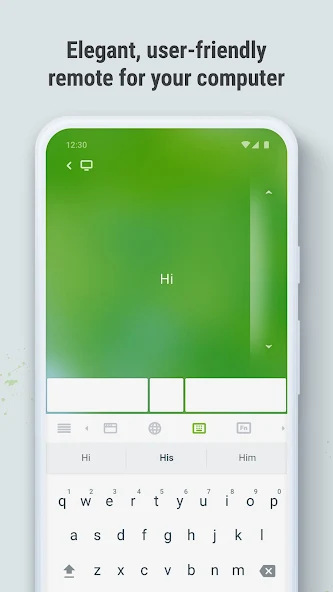
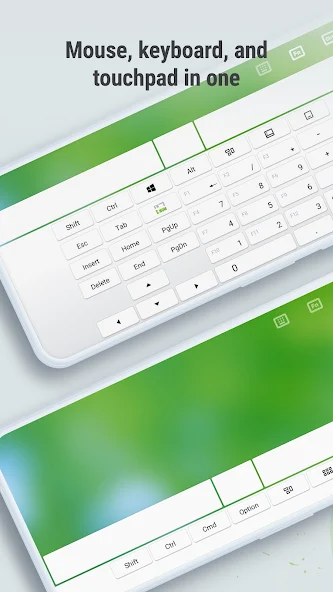
- Mouse: It allows you to control the cursor as you would with a traditional PC mouse and offers a Gyro Mouse function for motion-based navigation.
- Keyboard: Users can type remotely in any language and make use of voice input if supported by the keyboard. It also features shortcuts and adaptive layouts tailored for both Mac and PC.
- Touchpad: This feature simulates an Apple Magic Trackpad, supporting multi-touch gestures for enhanced remote navigation.
Specialty Panels for Enhanced Functionality
The app is equipped with specialized panels that go beyond basic computer control:
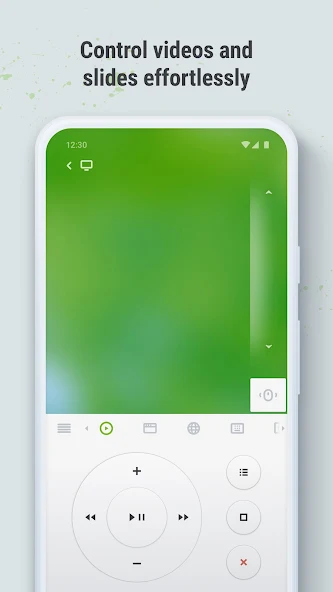
- Media Remote: Seamlessly control media across various platforms like YouTube, Netflix, and Spotify.
- Web Remote: Easy navigation through popular browsers such as Chrome, Firefox, and Opera.
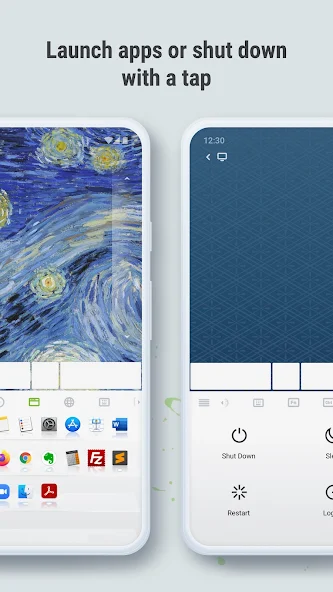
- App Switcher: Quick launching and switching between different applications.
- Power Options: Remote capabilities to shut down, sleep, or restart your system.
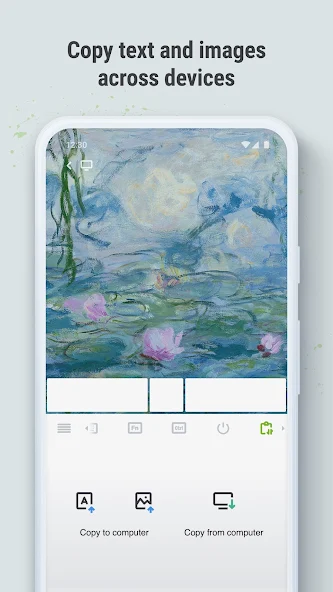
- Clipboard Sync: Effortlessly copy and paste text or images across devices.
User-Friendly Setup and Customization
Setting up Remote Mouse is straightforward. The app requires you to download and install the desktop version on your computer, after which you can connect your mobile device via Wi-Fi or Bluetooth. Remote Mouse also offers customization of your remote interface, including personal wallpapers and the reordering of specialty panels. Moreover, you can secure your connection with a password and control your computer’s volume using your phone’s physical buttons.
Conclusion: Enhance Your Remote Experience
Remote Mouse stands out as an exceptional application for transforming your mobile device into a multi-functional computer remote. With its intuitive interface, diverse control features, and specialized panels, it caters exceptionally well to users seeking to manage their computers from a distance. Explore the Remote Mouse APK for Android to elevate your convenience and control in the digital space.
Apps Information
-
Size
57.76M
-
Language
English
-
Developer
Remote Mouse
-
Version
v5.319
-
Updated
11 23, 2026
-
Package
com.hungrybolo.remotemouseandroid
-
Category
System Tools
Related Topics
More- Free Multimedia Apps
- Wallpaper Free APPS

11 18, 2026Update
Download the best multimedia apps for Android in 2026. Find free apps for music streaming, video playback, photo editing, and media management to boost your mobile entertainment.





11 18, 2026Update
Download the best free wallpaper apps for iPhone in 2026. Find HD wallpapers, live wallpapers, nature scenes, abstract designs, and home screen backgrounds.
-
View
 AI Art Generator
Work & Study / 95.76MB
-
View
 Spheroid
Theme Wallpapers / 128.32MB
-
View
 PixaMotion
Photo Enhancement / 64.79MB
-
View
 UgPhone
System Tools / 130.81MB
-
View
 Launcher OS
Theme Wallpapers / 130.01MB
-
View
Remote Mouse
System Tools / 57.76MB
Related News
More


You Might Also Like
Change




Similar Apps
More-
View
 Translate
9.29M
-
View
 Anti Spy
14.63M
-
View
 Speedify VPN
14.02M
-
View
 Lock Me Out
3.23M
-
View
 Dtel Telecom
37.25M
-
View
 LinkedIn
52.39M
-
View
 Utool
42.16M
-
View
 Picture Bird
86.2M
Featured Topics
More


Popular Apps
More


Question
- Download failed
- Outdated Resources
- Resource Error
- Viral Applications
- Pornography
- Gambling
- Political Unrest
- Fraud
- Infringement
- Other
Description
Tel
Report or Correction