
Good Calendar
For Android
Screenshot
Apps Introduction
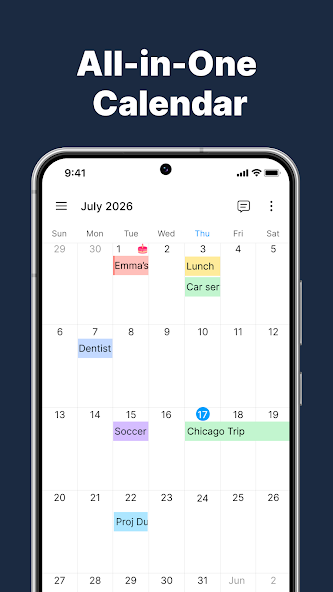
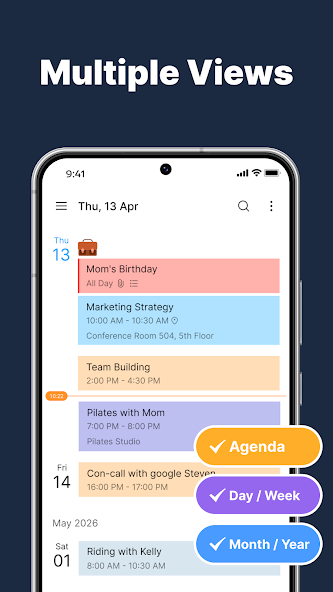
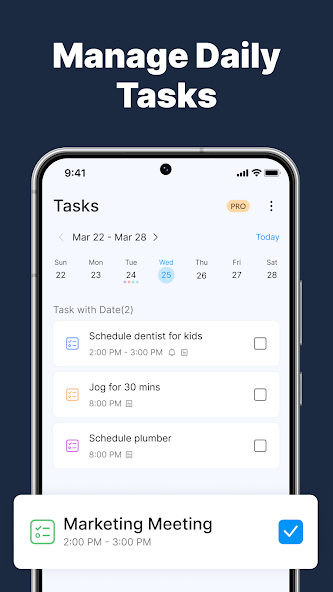
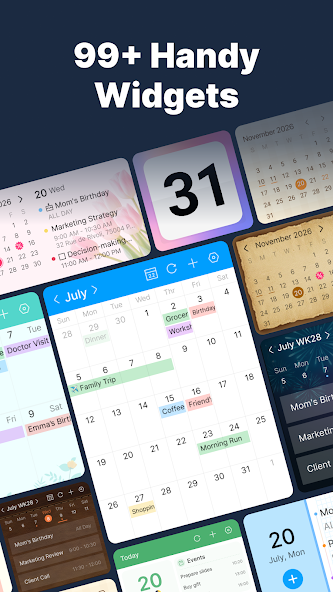
Good Calendar is a robust Android application designed to streamline your daily activities and enhance productivity. As a versatile digital calendar, its primary purpose is to consolidate personal and business schedules into one accessible location. Characterized by its intuitive interface and customizable views—daily, weekly, and monthly—Good Calendar adapts to your planning needs. Users can expect a holistic agenda management experience with integrated features like reminders, color-coded events, and calendar widgets. Whether it's managing work appointments or personal anniversaries, Good Calendar ensures nothing slips through the cracks.
Comprehensive Scheduling and Reminders
Good Calendar stands out with its ability to aggregate multiple calendars, including Google and local calendars, into one seamless interface. Users can establish events, set reminders, and align their schedules across various devices, courtesy of its synchronization capabilities. This application acts as a reliable agenda planner, ensuring you receive timely notifications for all events, from business meetings to family birthdays.
User-Friendly Interface and Customization
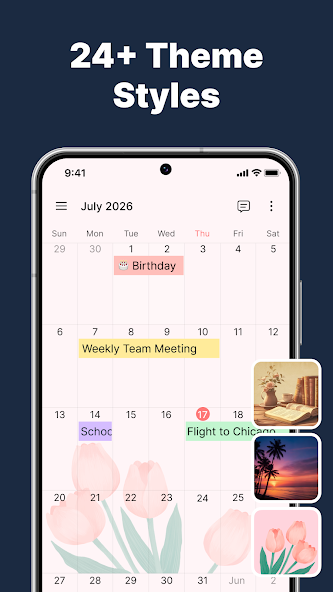
One of the distinctive features of Good Calendar is its simple yet efficient design. Creating appointments is a breeze, requiring only two steps to ensure your schedule is up-to-date. The default monthly view can be tailored to suit daily or weekly perspectives, facilitating easy navigation through your commitments. Additionally, users can personalize their interface with various theme colors, enhancing visual comfort while planning their agendas.
Widget Integration and Sync Capabilities
With Good Calendar, maintaining an overview of your tasks is simplified through its robust widget integration. The app allows users to set up monthly or agenda widgets directly on their home screen, offering instant access to your scheduling needs. Additionally, synchronization with Google Calendar means your appointments are never lost, providing consistency and reliability across all your devices, including support for Wear OS watches.
Streamlined Event Management Features
The app doesn't just organize your schedule; it enriches it with options to add notes, media attachments, and event locations. This facilitates comprehensive event management, ensuring all necessary details are a tap away. Moreover, Good Calendar allows for categorizing events with special markers and color themes, offering clarity and enhanced organization at a glance.
Why Download Good Calendar?
Good Calendar is not just an organizer; it's a tool that transforms how you manage time. By providing a unified platform for all calendar-related activities, it caters to everyone from busy professionals to organized parents. Its ease of use combined with extensive customization options makes it a valuable addition to any Android device. Discover the simplicity of managing life’s priorities by exploring the download options for Good Calendar through trusted sources like Apkmody.
Apps Information
-
Size
55.37M
-
Language
English
-
Developer
Dairy App & Notes & Audio Editor & Voice Recorder
-
Version
v2.07.40.1111
-
Updated
11 24, 2026
-
Package
calendar.agenda.calendarplanner.agendaplanner
-
Category
System Tools
Related Topics
More- Business Apps

11 18, 2026Update
Download the best free business apps for iPhone in 2026. Find apps for project management, team collaboration, scheduling, accounting, and daily task organization.
-
View
 AutoResponder for SGNL
Social Chat / 15.59MB
-
View
 Alarm Clock
System Tools / 9.01MB
-
View
 Sipnetic
Social Chat / 10.47MB
-
View
 B2C SFA
System Tools / 95.25MB
-
View
Good Calendar
System Tools / 55.37MB
-
View
 Translate
System Tools / 9.29MB
Related News
More


You Might Also Like
Change



Similar Apps
More-
View
 Wireless Earphones
26.71M
-
View
 Speed Check
7.62M
-
View
 Recepciones
41.71M
-
View
 AVG Cleaner
70.72M
-
View
 MobiSaver
37.11M
-
View
Alarm Clock
9.01M
-
View
 Dual Space Pro
45.57M
-
View
B2C SFA
95.25M
Featured Topics
More

Popular Apps
More-
View
Wireless Earphones
26.71M
-
View
 La Matinale
24.97M
-
View
Speed Check
7.62M
-
View
 MyGirl AI Girlfriend
24.62M
-
View
 Apk Editor Pro
61.92M
-
View
 Fandango
35.41M
-
View
Recepciones
41.71M
-
View
 Miga Town My TV Shows
78.06M
Question
- Download failed
- Outdated Resources
- Resource Error
- Viral Applications
- Pornography
- Gambling
- Political Unrest
- Fraud
- Infringement
- Other
Description
Tel
Report or Correction