
Google Camera
For Android
Screenshot
Apps Introduction
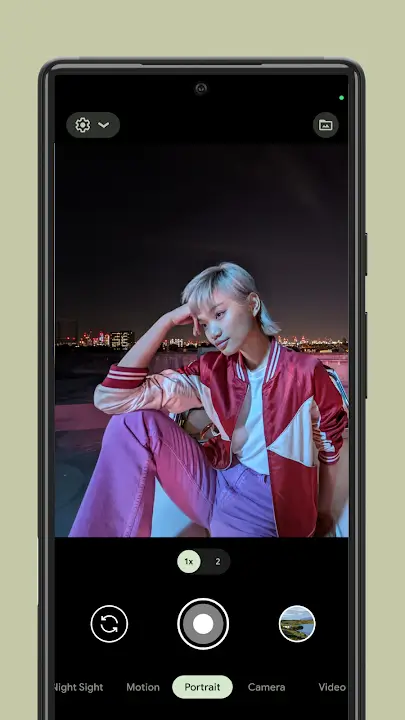
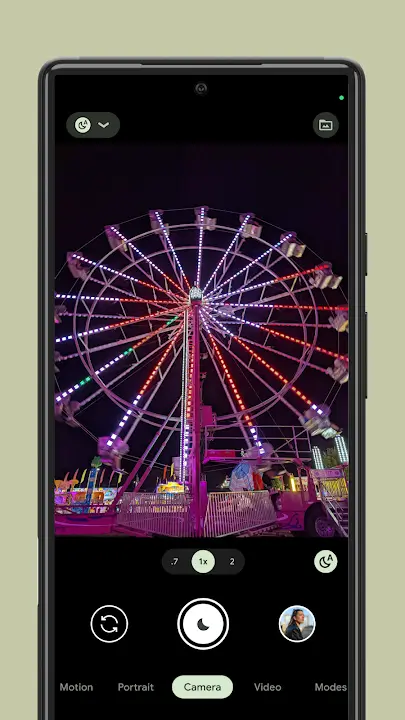
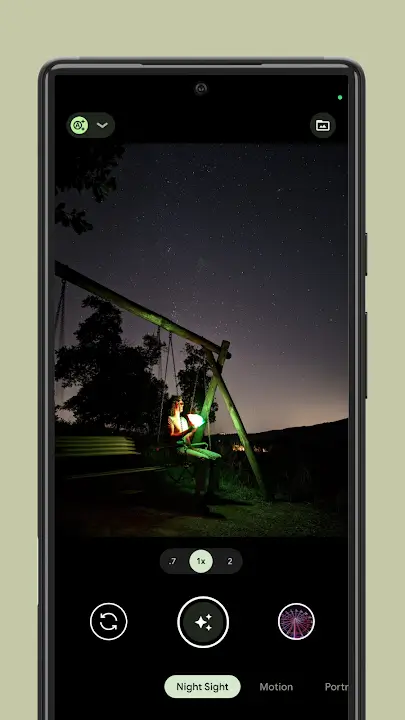
Google Camera is an advanced Android application designed to elevate your photography experience with cutting-edge features and improved image quality. Whether you're an amateur or a seasoned photographer, this app offers a suite of functions including HDR+ for stunning details, Night Sight for capturing low-light wonders, and Super Res Zoom for crystal clear images even at a distance. Google Camera transforms your smartphone into a powerful photography tool, making it an intriguing choice for Android users looking to capture life's precious moments with precision and artistic flair.
Transformative Photography Features
Google Camera brings a host of transformative features to your Android device to improve every shot you take. The app’s HDR+ capability allows for exceptional detail in images, balancing exposure and white balance for photos that are vivid and full of life, even in challenging lighting conditions. Night Sight is another revolutionary feature, capturing breathtaking photos without the need for a flash by revealing intricate details and colors hidden in the dark. Super Res Zoom enhances zoomed images, ensuring clarity and sharpness, eliminating the blur typically associated with digital zoom.
Capture Creative Moments
The Google Camera app provides users with professional-grade tools to exercise their creativity. With long exposure options and motion blur capabilities, you can capture dynamic scenes and spectacular effects. The intuitive interface also allows you to adjust settings like white balance and contrast effortlessly, giving you full control over your photos. Additionally, the Top Shot feature makes it easy to select the perfect picture by recommending the best shot among several, reducing the risk of missing a flawless moment.
User-Friendly Interface and Usability
This application is equipped with a user-friendly interface that does not require users to navigate through complex settings to achieve stunning results. By prioritizing simplicity in design, Google Camera ensures that all its advanced features are accessible even to beginners. Key functionalities can be activated with simple gestures, helping users focus more on capturing the moment rather than struggling with the settings.
Integrated Post-Processing Power
After capturing your photos, Google Camera integrates seamlessly with editing apps like Lightroom and Photo, enhancing your images with ease. The ability to save RAW formats allows users to utilize powerful post-processing tools, making complex editing tasks manageable without extensive expertise. This integration ensures that your photographs not only capture the moment beautifully but also come alive during the editing process.
Conclusion: Your Gateway to Powerful Photography
If you're looking to enhance your photography skills with innovative tools and stunning visuals, Google Camera is the application to download. It’s tailored for Android users who want their smartphone images to reflect creativity and technical excellence. With its blend of user-friendly functionality and professional photographic features, it invites users to explore the full potential of mobile photography. Discover more by downloading the Google Camera APK and start capturing the world around you with unparalleled clarity and detail.
Apps Information
-
Size
1539.3M
-
Language
English
-
Developer
Google LLC.
-
Version
v11.0.073.961838058.30
-
Updated
11 24, 2026
-
Package
com.google.android.GoogleCamera
-
Category
Photo Enhancement
Related Topics
More- Best Tools Apps

11 18, 2026Update
Get the best Android utility apps in 2026. Download free tools for file management, phone cleaning, security, system optimization, and everyday productivity.
-
View
 Speed Check
System Tools / 7.62MB
-
View
 Apk Editor Pro
Work & Study / 61.92MB
-
View
 Miga Town My TV Shows
Work & Study / 78.06MB
-
View
 AVG Cleaner
System Tools / 70.72MB
-
View
 Forma Healthy
Lifestyle Services / 55.7MB
-
View
 AutoResponder for SGNL
Social Chat / 15.59MB
Related News
More


You Might Also Like
Change






Similar Apps
More



Featured Topics
More


Popular Apps
More-
View
 Wireless Earphones
26.71M
-
View
 La Matinale
24.97M
-
View
Speed Check
7.62M
-
View
 MyGirl AI Girlfriend
24.62M
-
View
Apk Editor Pro
61.92M
-
View
 Fandango
35.41M
-
View
 Recepciones
41.71M
-
View
Miga Town My TV Shows
78.06M
Question
- Download failed
- Outdated Resources
- Resource Error
- Viral Applications
- Pornography
- Gambling
- Political Unrest
- Fraud
- Infringement
- Other
Description
Tel
Report or Correction